⚠️ Important Considerations
Before you proceed, please be aware of the following permanent changes:
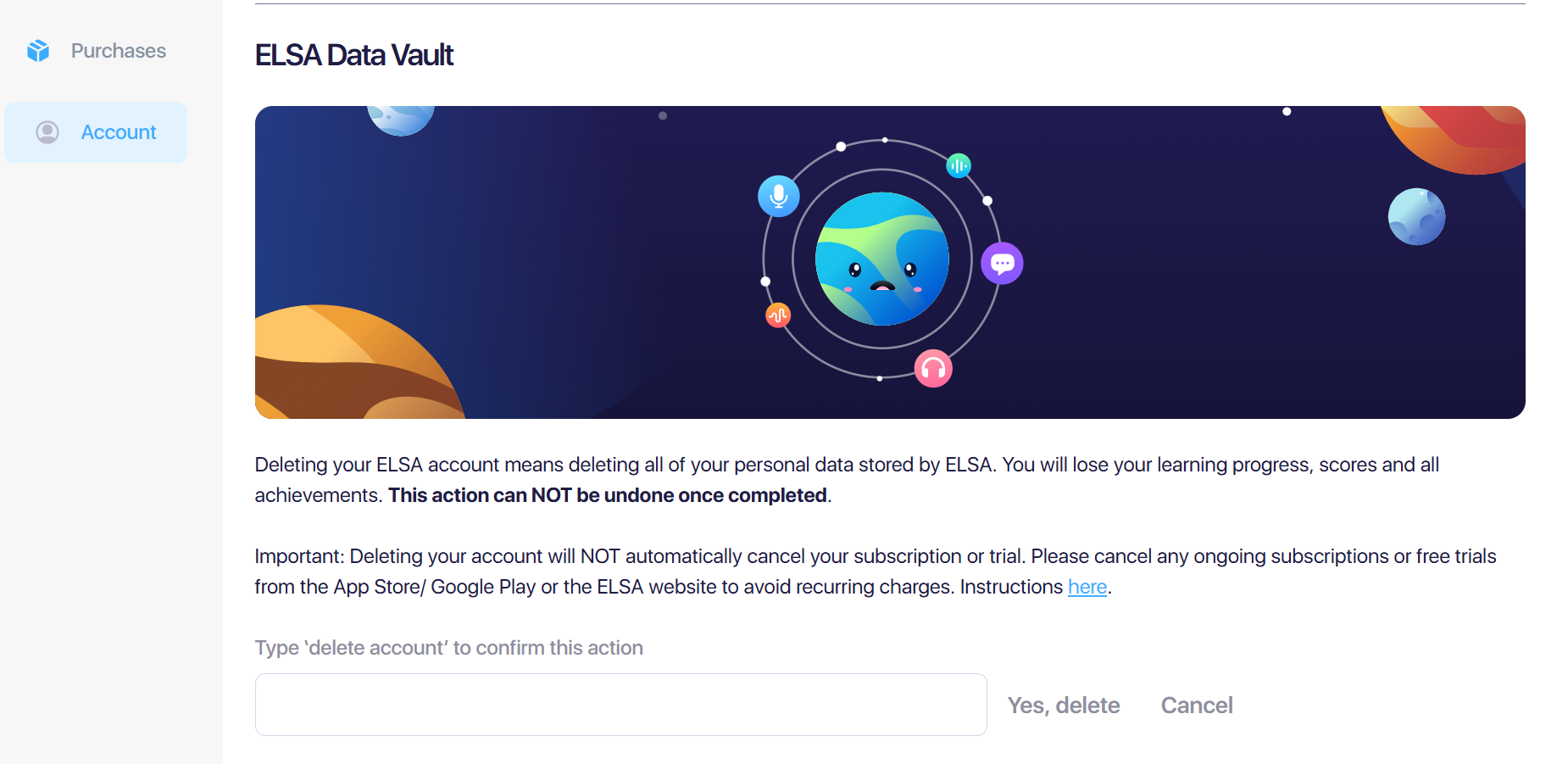
Loss of Progress: All study history, achievements, and personalized progress in ELSA will be permanently erased.
Subscription and Refunds: Remaining subscription time cannot be refunded, credited, or prorated.
Deleting your account does not stop your subscription from re. To avoid being charged, you must manually cancel any active plans or trials through the App Store or Google Play Store before deleting your account.
Irreversible Action: Deleted accounts cannot be restored. Once the process is complete, all data and subscription access are lost forever.
Note: For your security, we recommend that you manage your account deletion directly. If you encounter any issues with the steps below, please contact our support team for assistance.
Step 1: Cancel your active subscriptions:
As the first step, check if you are currently subscribed to any of our subscription plans. Ensure to cancel the subscription to stop the recurring charge in the next cycle.
Please follow the instruction here: https://elsanow.freshdesk.com/en/support/solutions/folders/31000122585
Step 2: Delete your account:
You can delete in the ELSA app or on the website.
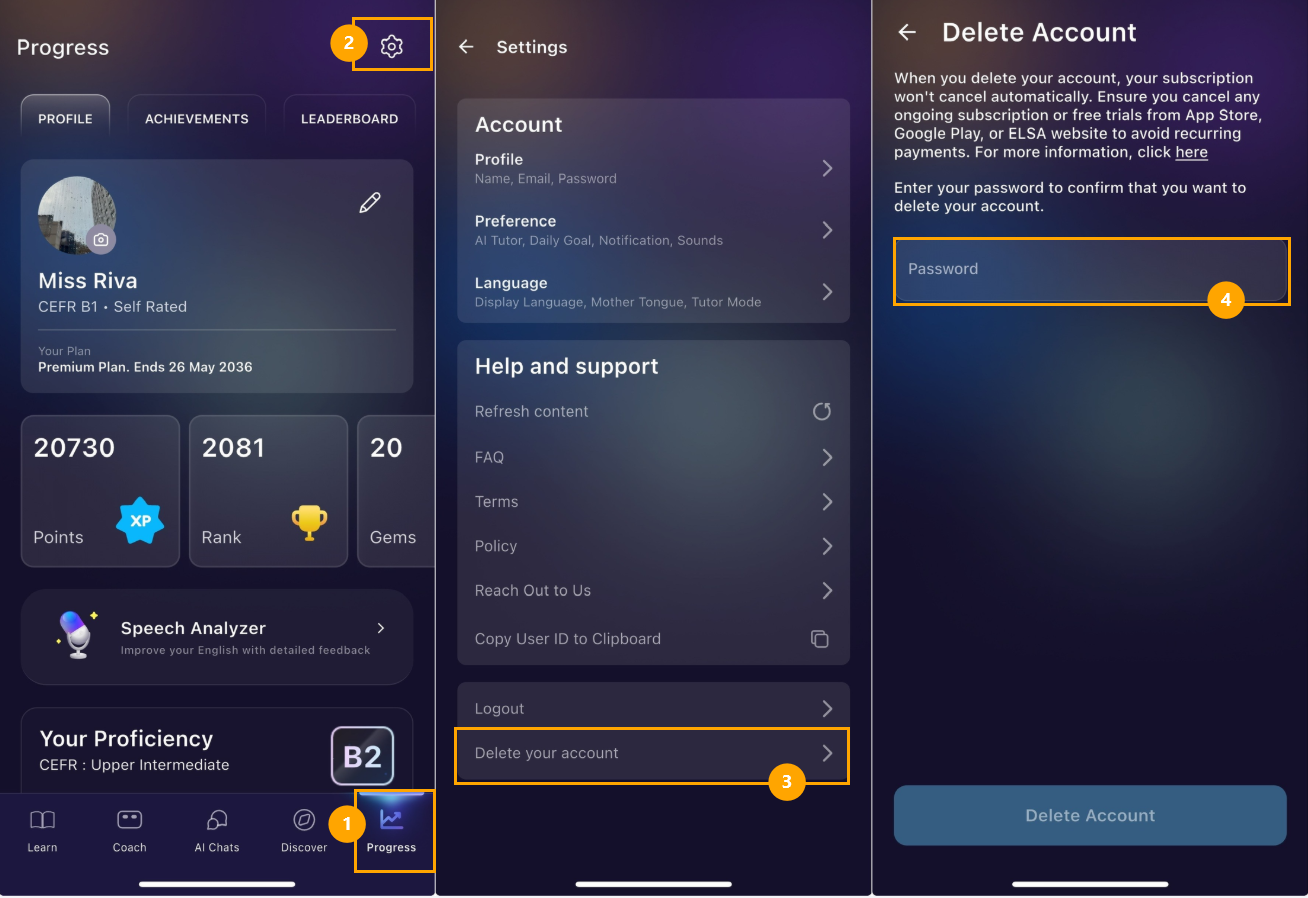
1. In ELSA app:
Go to Your Profile > Edit your profile > Delete account > follow the instruction on the screen
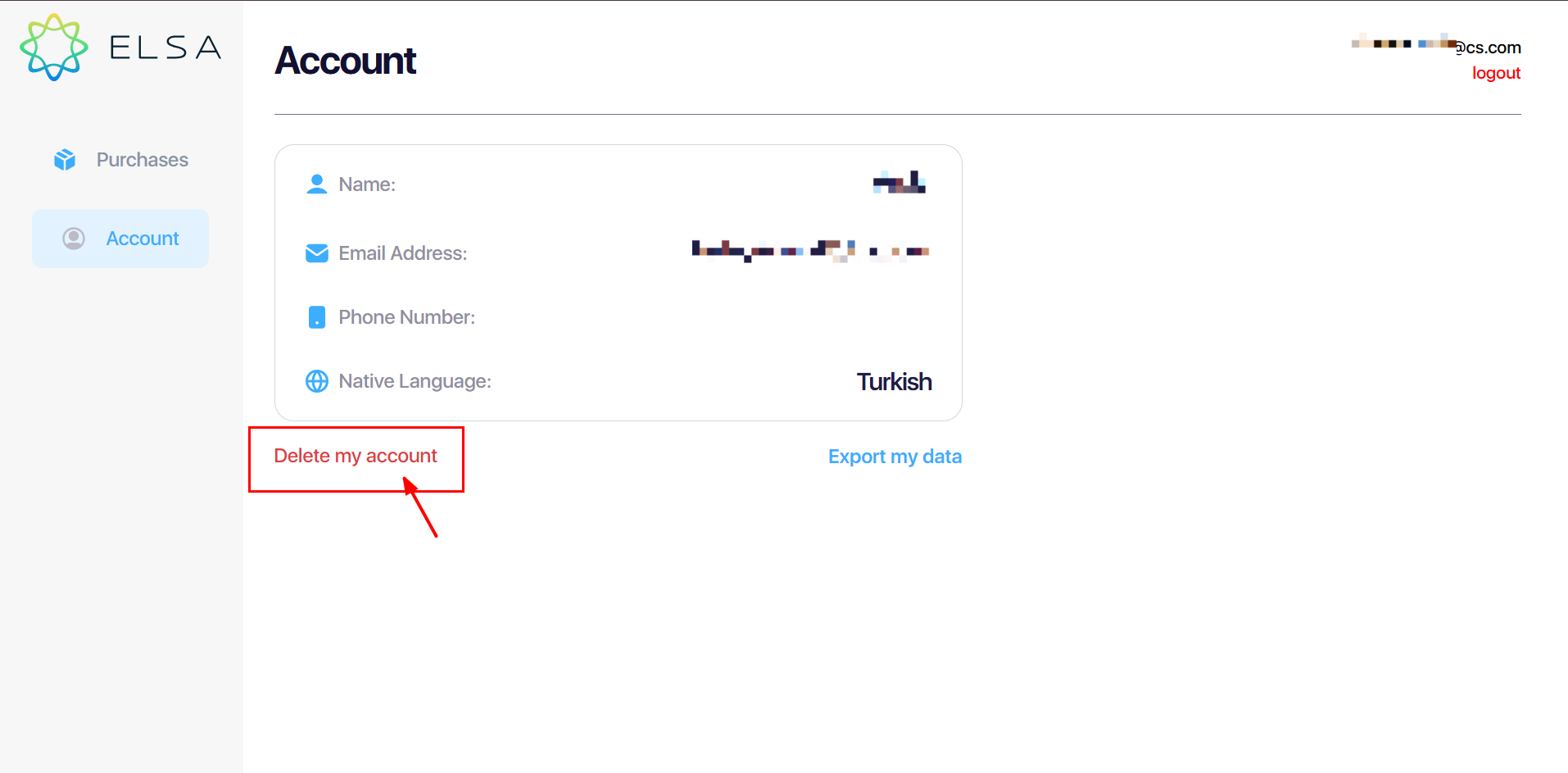
2. On the website:
1. Go to this page: https://elsaspeak.com/en/profile/account/
2. Login with the ELSA account that you want to delete.
3. Choose Delete Account and follow the instruction on screen.
Was this article helpful?
That’s Great!
Thank you for your feedback
Sorry! We couldn't be helpful
Thank you for your feedback
Feedback sent
We appreciate your effort and will try to fix the article