Take full control of your professional development with our tailored curriculum settings. By updating your career, learning goals, and specific skill focus, you can ensure every unit and lesson in the Learning Path feature remains relevant to your ambitions.
Whether you’re pivoting roles or leveling up, modifying your profile allows the system to personalize your experience, instantly re-generating a learning path that evolves alongside you.
First, please make sure you are using the latest version of the ELSA app by re-installing it and re-login to the same ELSA account.
Then, follow these steps to change your learning path:
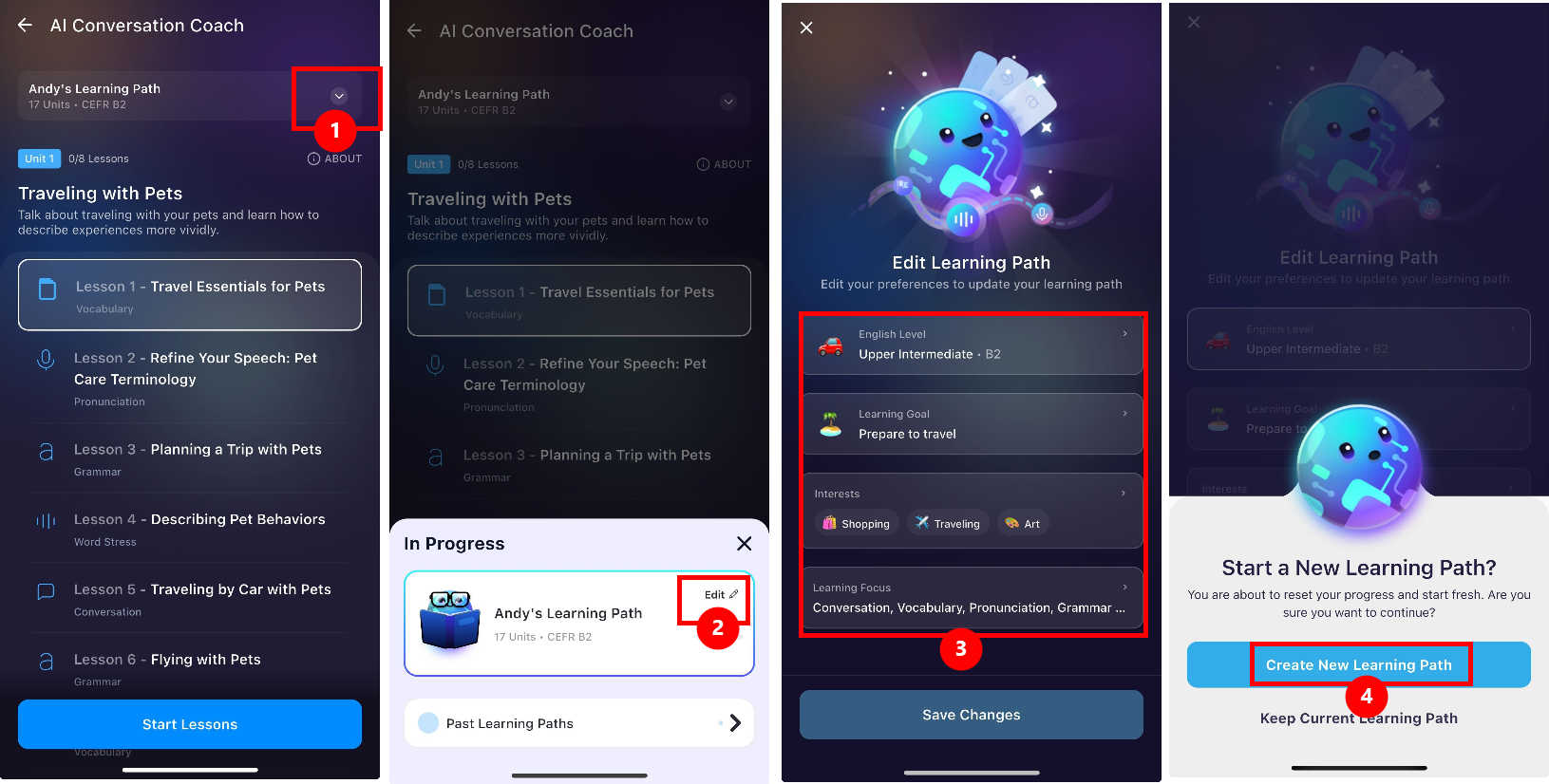
- Click the dropdown icon at the top of the page.
- Select Edit.
- Update the information for your learning path as needed. Click Save Changes.
- Click Create New Learing Path. ELSA will then generate a new learning path based on your updated selections.
Note that this change only affects the Learning Path feature, and does not change the existing overall score or level in your ELSA Profile.
Past Learning Paths:
The Past Learning Paths feature allows you to keep track of your entire study history within the AI Conversation Coach.
By clicking on "Past Learning Paths" at the bottom of your current progress menu, you can see a list of every path you have created, including the date it was saved and your specific CEFR level (such as A1 or B2).
You can easily switch between the "Completed" and "Incomplete" tabs to see which paths you have finished and which ones still have units waiting for you.
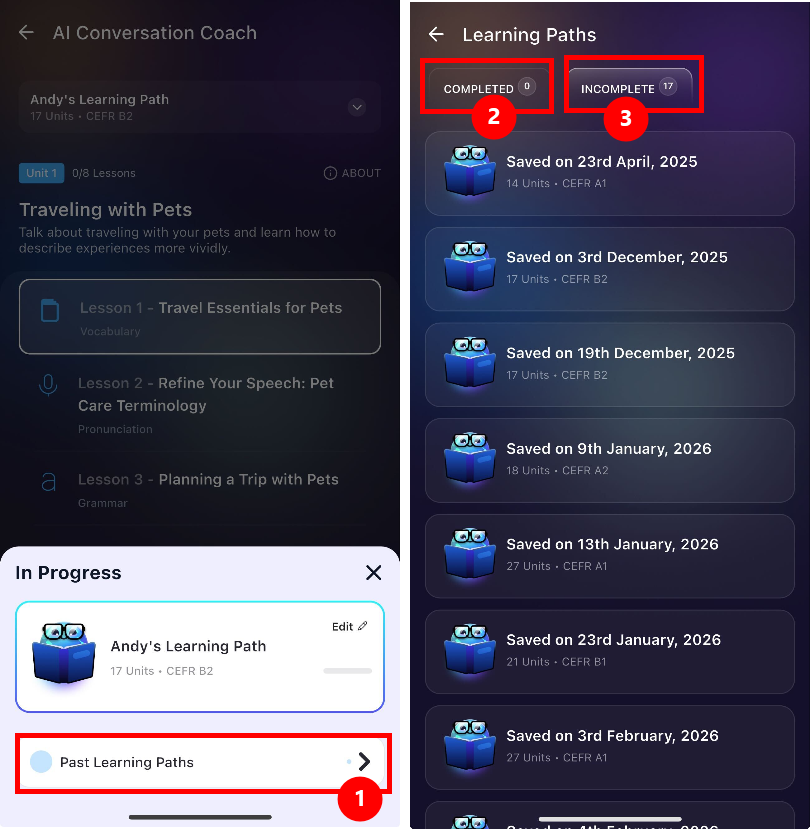
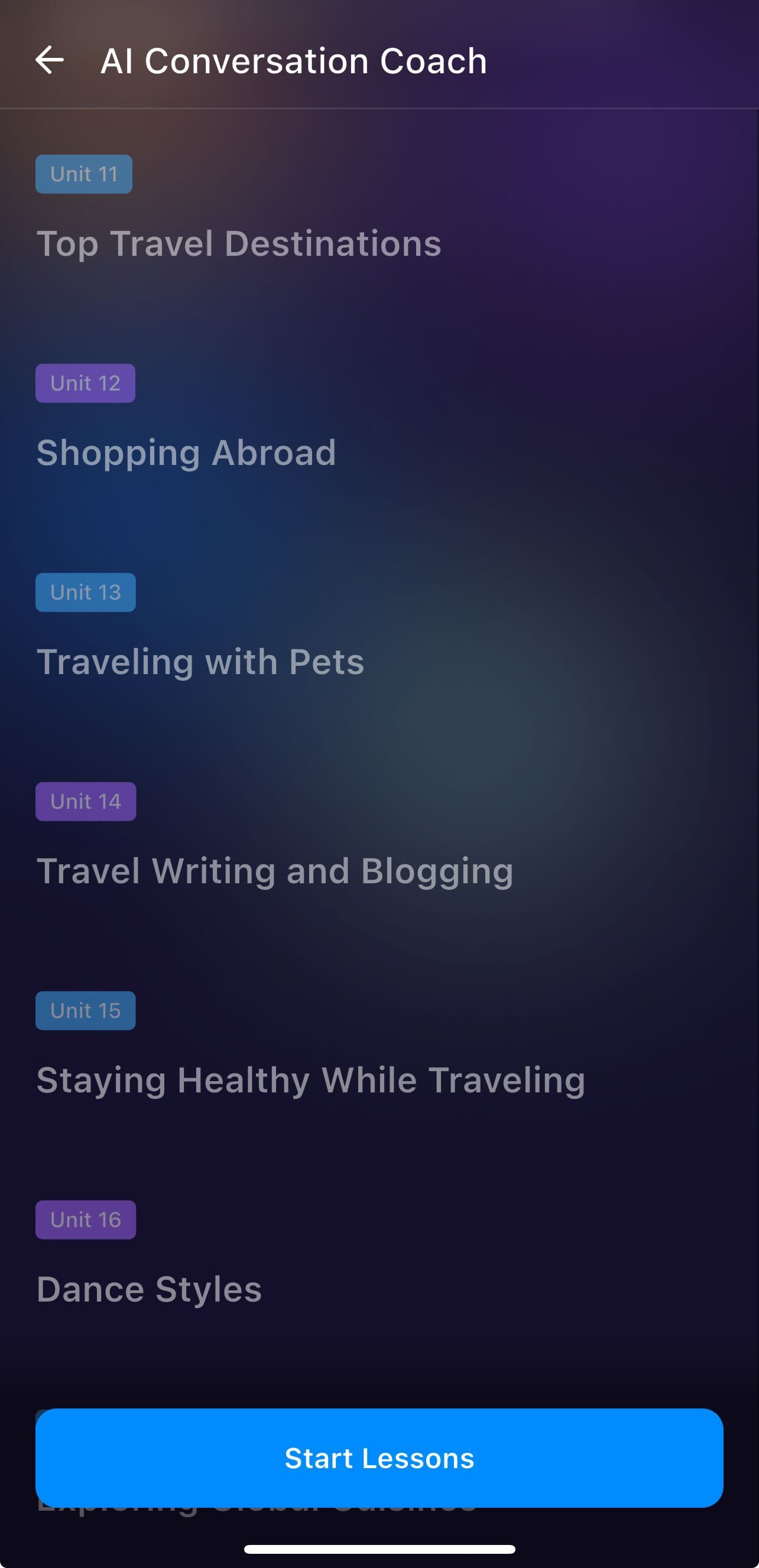
Please note any incompleted units and lessons in the current learning path will be disabled if you generate a new Learning Path. They will appear as grey-out if you return to Past Learning Paths.
See this page for more information: https://elsanow.freshdesk.com/en/support/solutions/articles/31000177821-cannot-access-lessons-in-past-learning-path
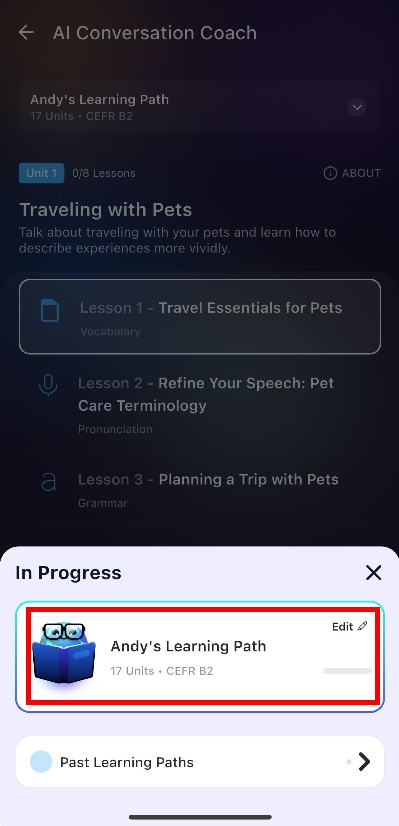
If you want to return to the In Progress Learning Path (latest one), click the current learning path in In Progress menu.
Was this article helpful?
That’s Great!
Thank you for your feedback
Sorry! We couldn't be helpful
Thank you for your feedback
Feedback sent
We appreciate your effort and will try to fix the article