Speech Analyzer is your personal AI speaking coach. It goes beyond simple repetition by listening to your natural speech and providing a comprehensive breakdown of your communication skills.
Whether you are preparing for a high-stakes exam or just want to sound more natural in daily conversations, Speech Analyzer gives you the data you need to improve.
Accessing Speech Analyzer:
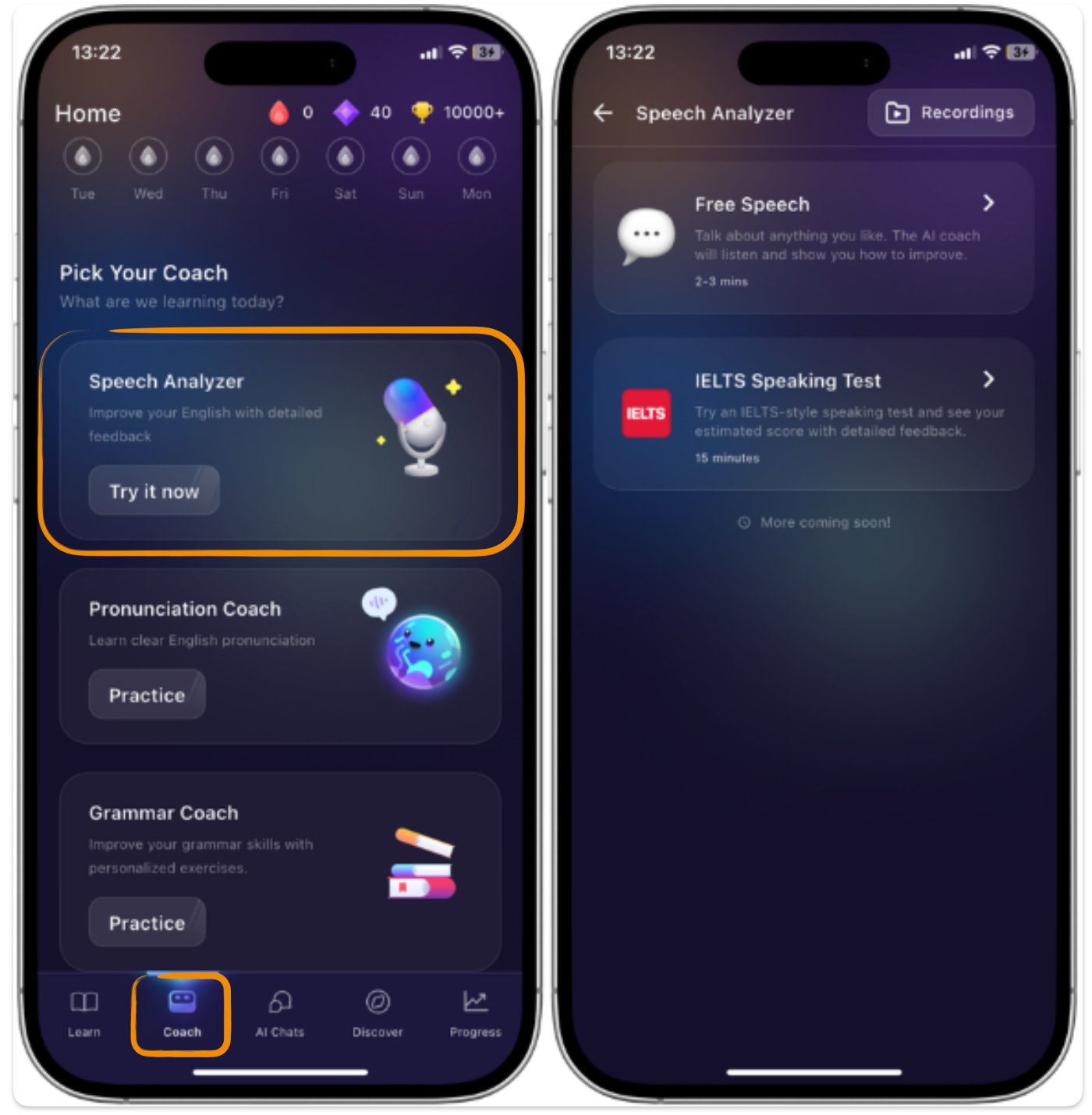
1. Navigate to the Coach tab.
2. Tap "Try it now" under the Speech Analyzer banner to begin your session.
Practice Mode:
1. Free Speaking (Unstructured Practice)
Best for: Daily maintenance, confidence building, and casual conversation.
How it works: Talk about anything! You can describe your day, summarize a movie, or practice a work presentation. There are no prompts or time limits.
The Benefit: This mode mimics real-life interactions where you don't have a script. It’s the best way to identify your "default" speaking habits and see where you naturally struggle with fluency or grammar.
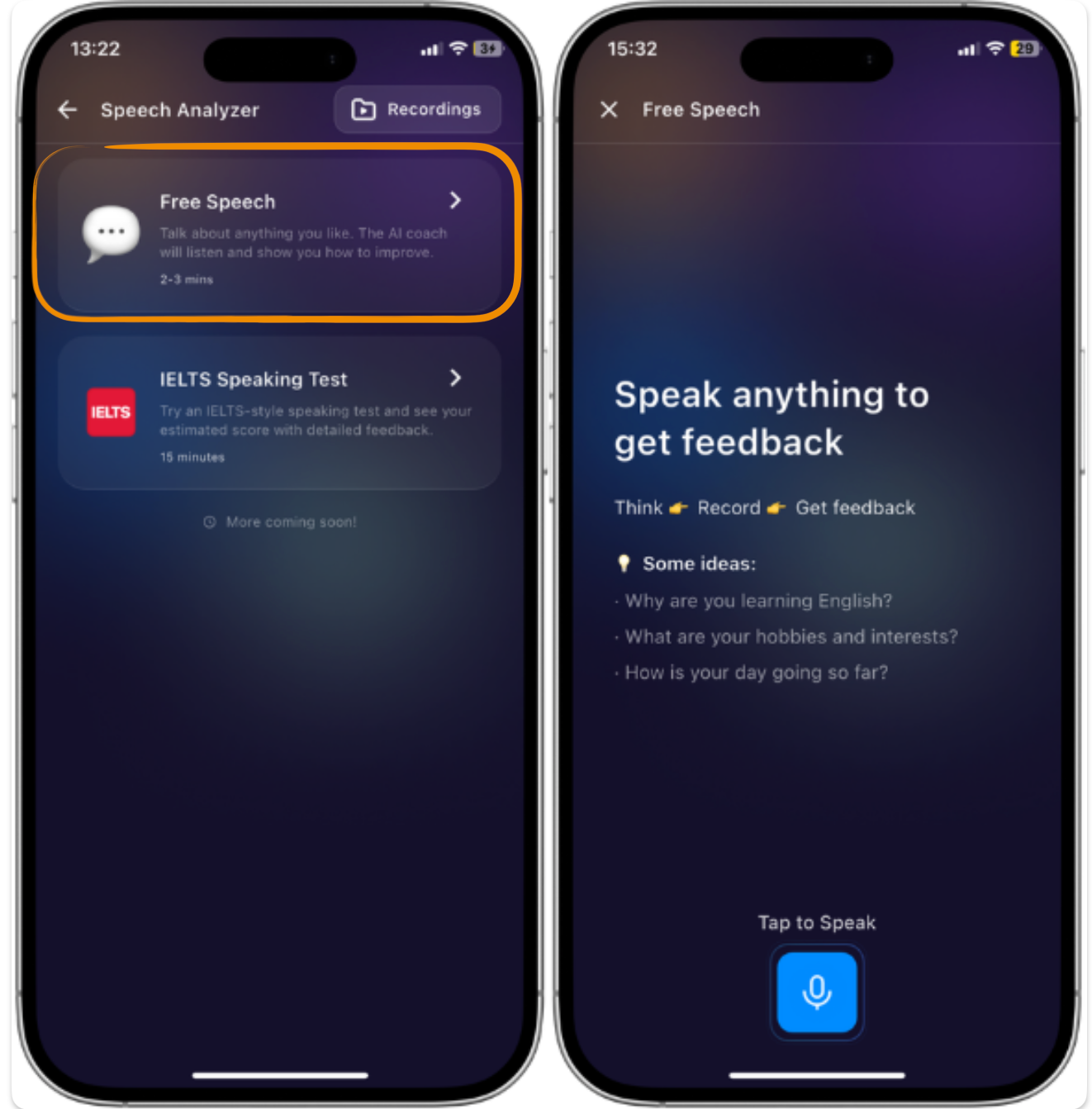
2. IELTS Speaking Test (Structured Practice)
Best for: Students preparing for the IELTS exam or those who want academic feedback.
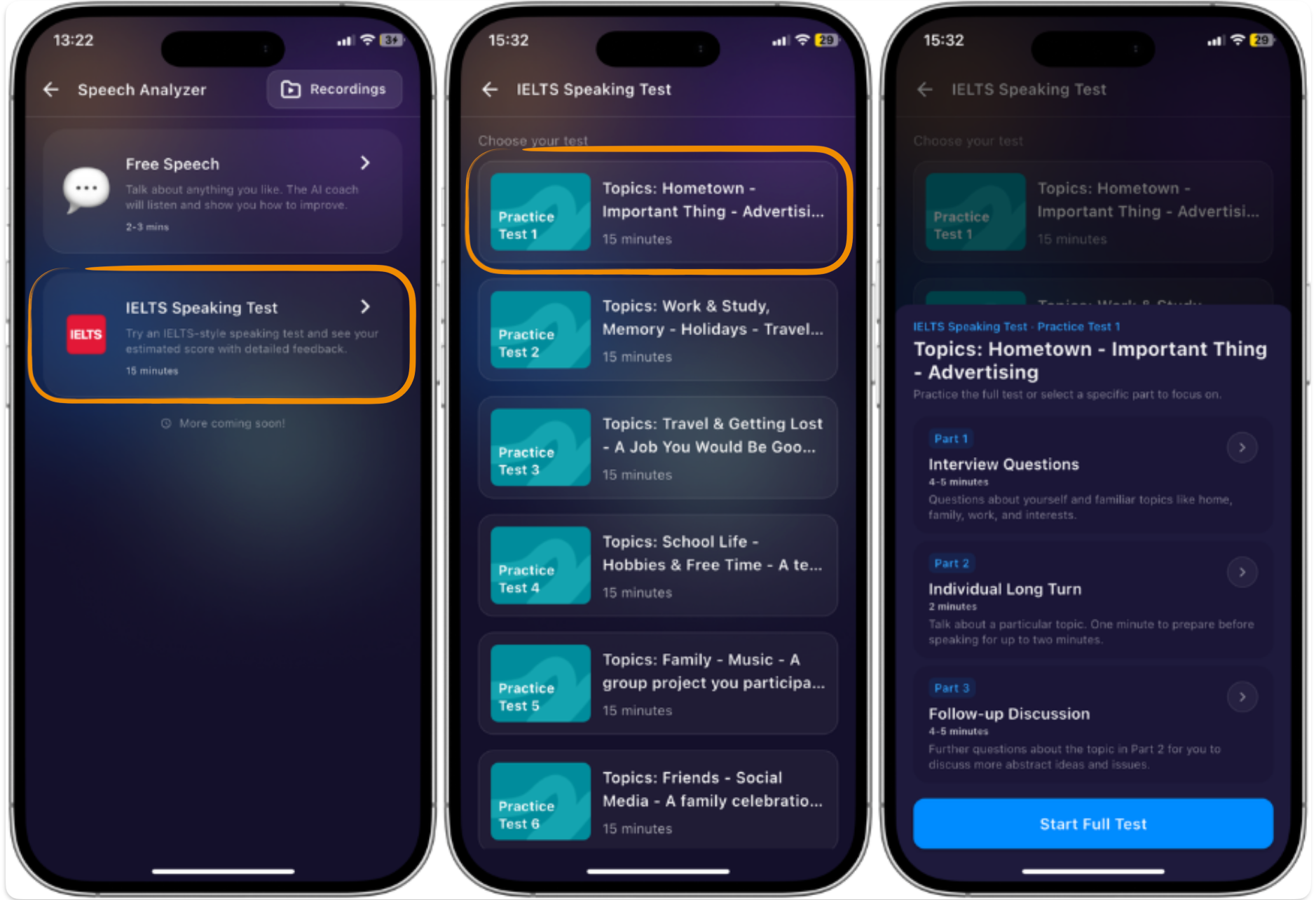
How it works: This mode replicates the official IELTS Speaking format. You will be guided through:
Part 1: General introduction and familiar topics.
Part 2: A "Long Turn" where you speak on a specific prompt for 1–2 minutes.
Part 3: A deeper discussion based on the Part 2 topic.
The Benefit: You receive an estimated band score and specific feedback on how to structure your answers to meet exam criteria.
Understand the final report:
Below, we’ll break down the exact insights packed into each skill tab and show you how to use your interactive transcript to target, track, and fix your speech errors.
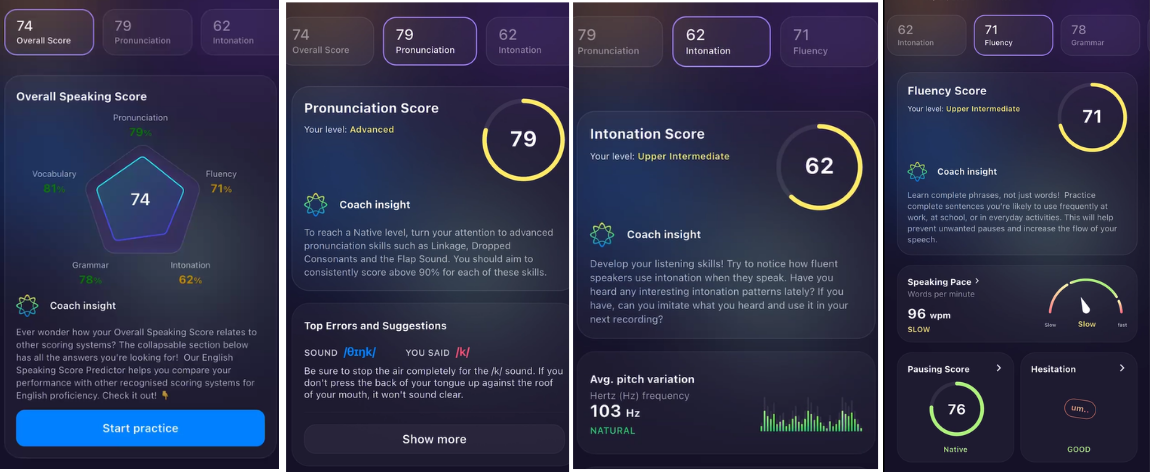
1. Pronunciation Tab
This module analyzes the physical accuracy of your speech sounds.
Sounds to Improve: A detailed list of specific phonetic sounds (phonemes), consonants, or word endings (like dropped suffixes) that were mispronounced or muffled.
Transcript Error View: Your interactive transcript highlights the exact words where pronunciation errors occurred, allowing you to click and listen to your mistakes.
2. Intonation Tab
This module evaluates the rhythm and musicality of your voice to ensure you don't sound monotone.
Pitch Variation Score: Measures the frequency changes of your voice in Hertz (Hz). A higher variation indicates a more natural, expressive speaking style.
Emphasis Guide Transcript: The transcript visually indicates where you placed sentence stress and, more importantly, where you should have emphasized words to align with native speech patterns.
3. Fluency Tab
This module tracks the continuity, speed, and smooth flow of your spoken English.
Pausing Score: Measures whether your pauses happen at natural breathing points (like commas and ends of sentences) or if they disruptively break up phrases.
Hesitation Score: Rates your control over cognitive friction, tracking how often you rely on filler sounds.
Hesitation Transcript: The transcript dynamically color-codes and flags the exact timestamps where pauses and hesitations happened, showing you precisely where your flow broke down (e.g., highlighting words like "um" or "uh").
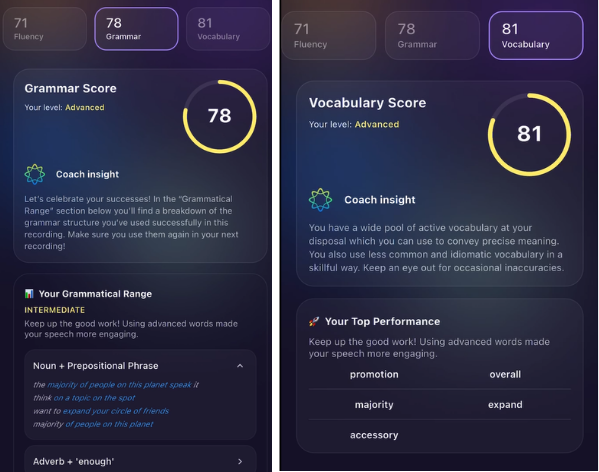
4. Grammar Tab
This module assesses your structural accuracy and the complexity of your sentences.
Grammatical Ranges: A comprehensive breakdown of the advanced structures you successfully deployed (e.g., conditionals, passive voice, or specific adverbial placements).
Grammatical Errors: An active correction ledger showing your exact mistake side-by-side with the correct rule so you can learn how to fix it next time.
5. Vocabulary Tab
This module evaluates your lexical choice, range, and precision.
Vocab Used: A review of your total word pool, featuring a "Top Performance Words" highlight reel that displays the most sophisticated, high-level vocabulary words you successfully integrated into your response.
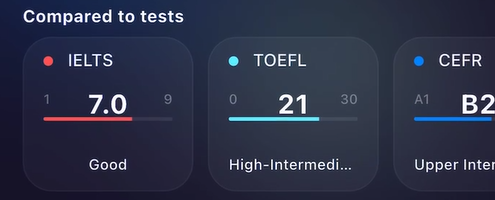
2. Global Test Score Predictor
To help you gauge your readiness for official international exams, your overall score is automatically mapped against global English standards:
IELTS
TOEFL
CEFR
PEARSON
TOEIC
Tip: Utilize these forecasts as a reference point if you are preparing for formal academic or immigration assessments. Keep in mind that these scores serve as estimates; they do not represent your true proficiency and cannot substitute the official standard tests.
3. Upgrading Your Speech with AI Rephrasing:
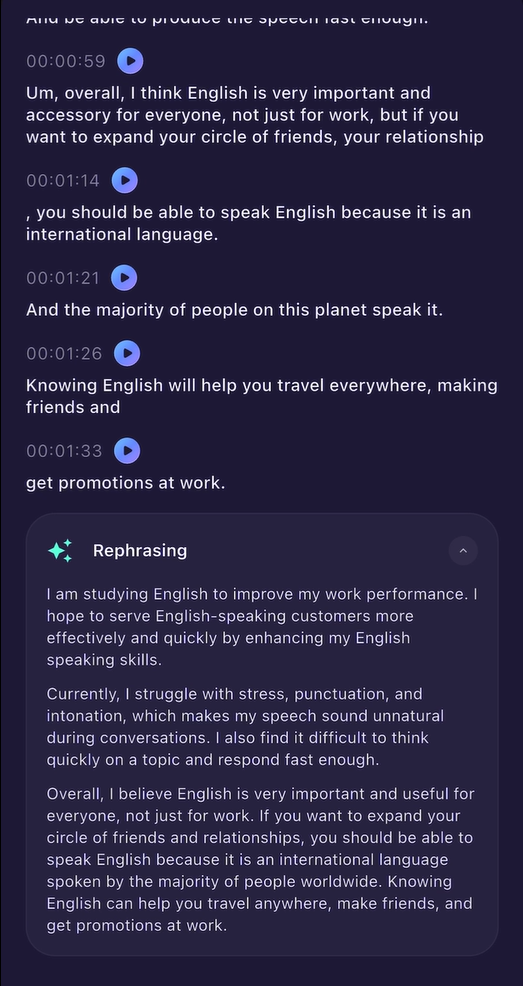
One of the most powerful features is the Rephrasing tool located at the bottom of the page.
Navigate to the Rephrasing card at the end of your report.
Tap the ✨ Rephrase my speech button.
The AI engine will rewrite your exact spoken ideas into a polished, professional, and grammatically flawless paragraph.
How to study with this feature: Read the rephrased text aloud several times. Compare it to your original transcript to see how native-like sentence structures flow, then tap Start Practice to record yourself trying the new version!
Was this article helpful?
That’s Great!
Thank you for your feedback
Sorry! We couldn't be helpful
Thank you for your feedback
Feedback sent
We appreciate your effort and will try to fix the article