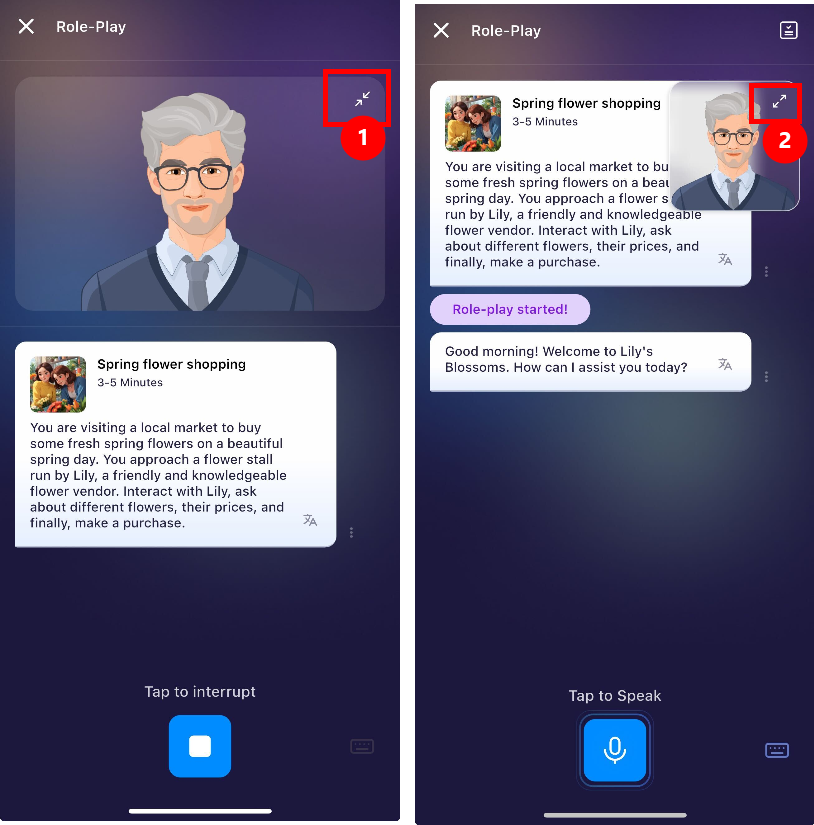
You can now adjust the size of the AI avatar during your lessons to free up more space on your screen. Please note that this feature is specifically designed for AI-powered lessons and is not available for standard exercises.
Available for:
Roleplays (both standalone and within the Learning Path)
Open-ended Conversations
AI Lessons in the Learning Path (specifically Vocabulary and Grammar modules)
Not available for:
Listening exercises
Repeat After Me
Stress It Right
Scripted Conversations
Any standard lessons (not AI generated lessons)
Was this article helpful?
That’s Great!
Thank you for your feedback
Sorry! We couldn't be helpful
Thank you for your feedback
Feedback sent
We appreciate your effort and will try to fix the article