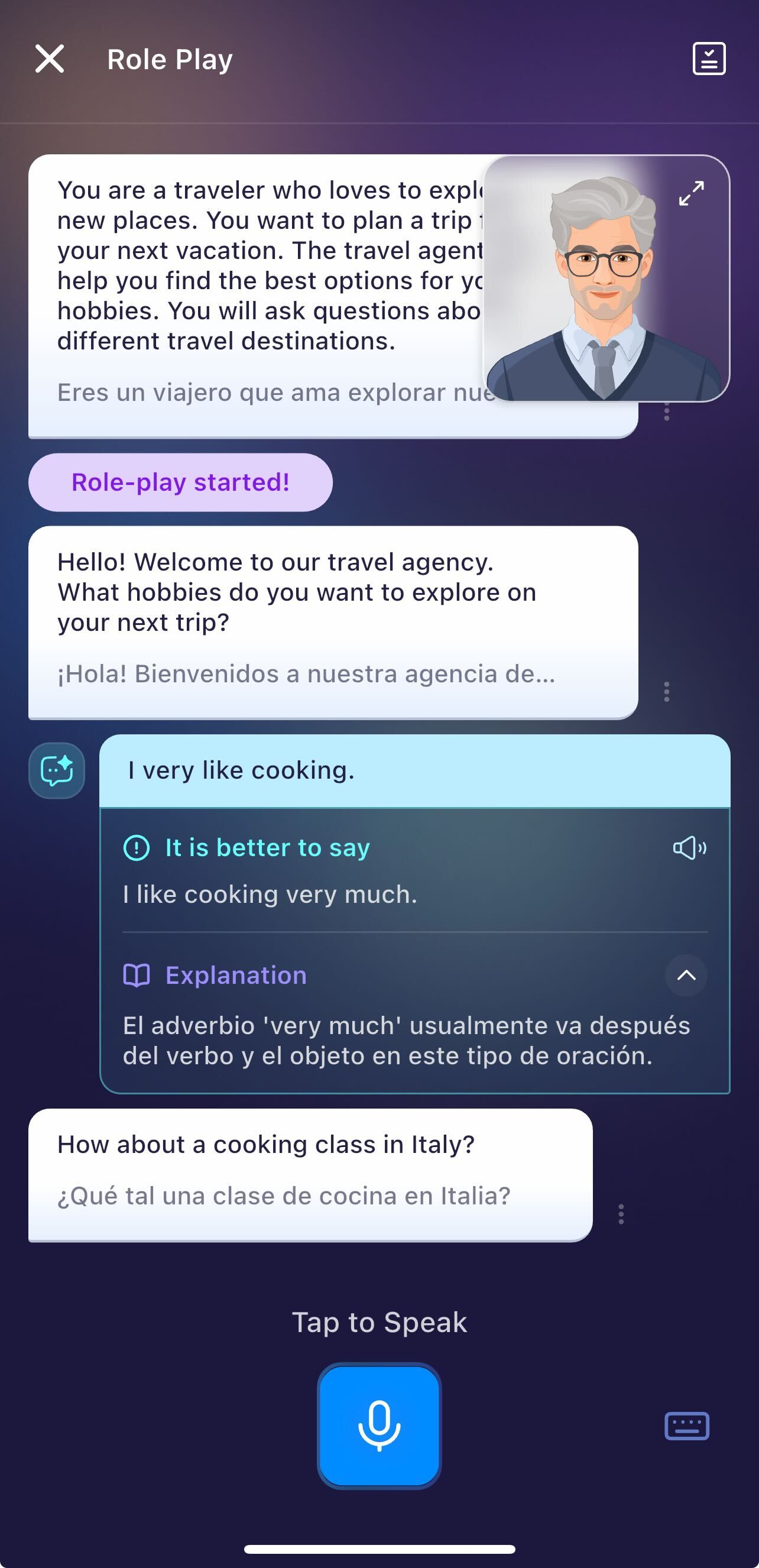
Real-Time Feedback provides instant, AI-generated recommendations after each response during a Roleplay or Open-Ended Conversation lesson.
It helps you understand:
What you said,
How can you say it better,
With example improvements,
And a translation for clarity.
2. Lessons supported real-time feedback:
Currently, only Role-Play (in both Learning Path and AI Chats feature) or Open-Ended Conversation Lessons (in Learning Path) have this feature.
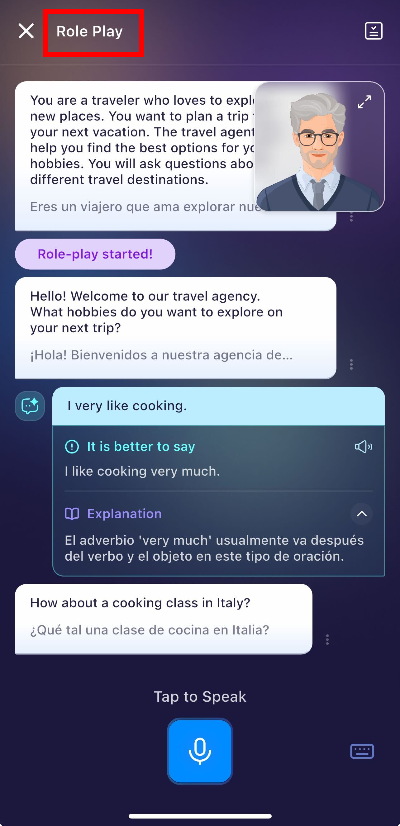
For example, the lesson below is a roleplay game where you will find this feature available.
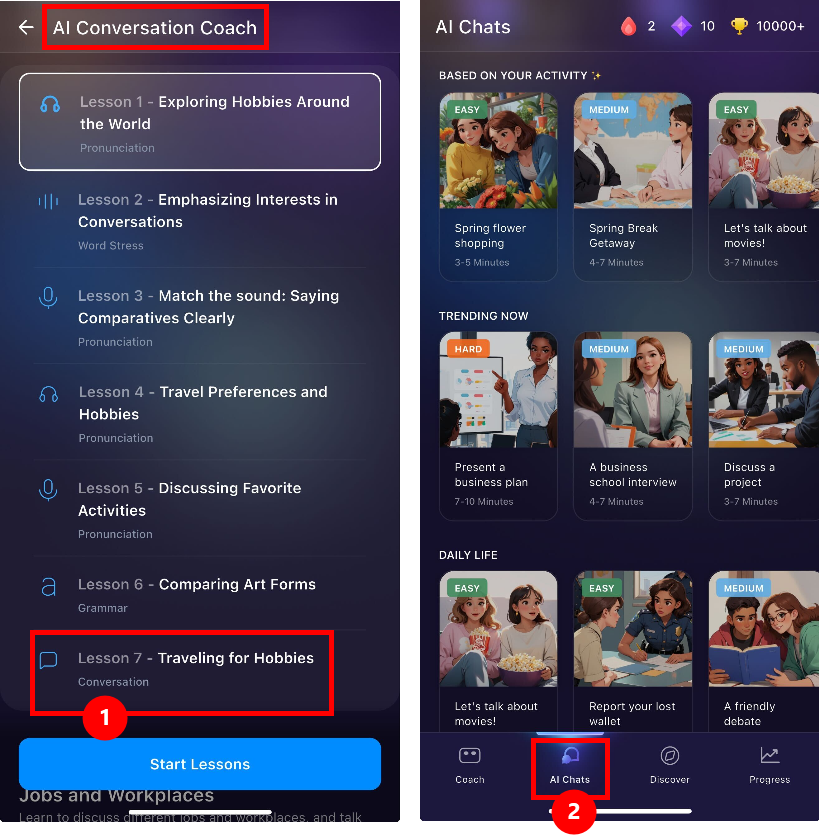
Tips: Look for the "Conversation" lessons (1) in Learning Path (located in AI Conversation Coach). Or go to AI Chats (2) and choose any AI Roleplay conversations.
3. Understanding the feedback:
Each feedback section contains:
1. Suggested Improvement
A better or more natural way to express what you said.
2. Explanation
Short notes explaining:
- Why the suggestion is better
- What grammar or vocabulary improvement was applied
- Any nuance or tone adjustment
- A translation (e.g., to Spanish) for better understanding
The icon has two states depending on AI evaluation: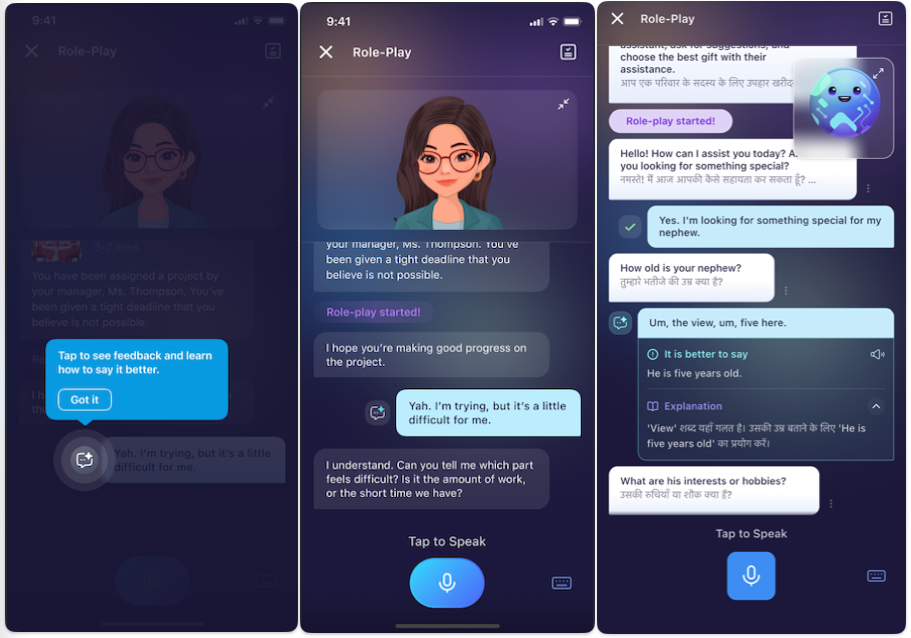
The highlight shows your response needs improvement.
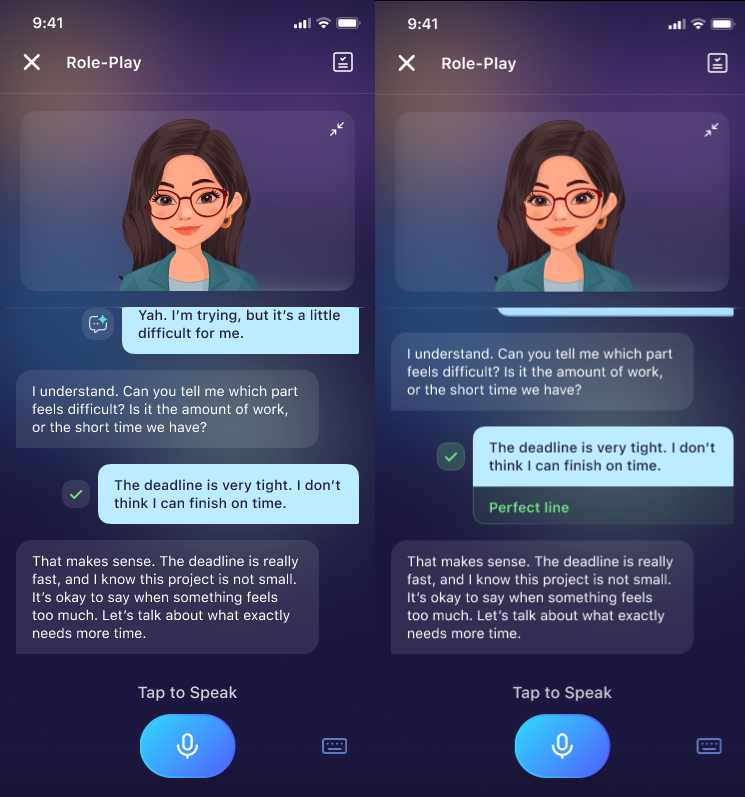
The checked mark indicates your response is good or natural.
4. Important Notes & Limitations
- Feedback quality may vary based on microphone clarity and background noise.
AI suggestions focus on naturalness, fluency, grammar, vocabulary, and tone, not only pronunciation.
Frequently Asked Questions (FAQ)
Why am I not seeing feedback?
A: Feedback icons appear only in supported conversation-based lessons. If you're doing a pronunciation drill or structured exercise, the icon will not appear.
Can I view old feedback later?
A: Yes, you can scroll up anytime within the same conversation to access previous feedback.
Note that the feedback will not be saved if you close the conversation.
Can I get feedback in another language?
A: Yes. The improved suggestion includes a translation based on your language settings. To set up the language, go to Profile and change the Display Language settings.
Does feedback evaluate pronunciation?
A: It focuses mainly on expression, naturalness, and clarity. Some pronunciation hints may appear when relevant.
Was this article helpful?
That’s Great!
Thank you for your feedback
Sorry! We couldn't be helpful
Thank you for your feedback
Feedback sent
We appreciate your effort and will try to fix the article