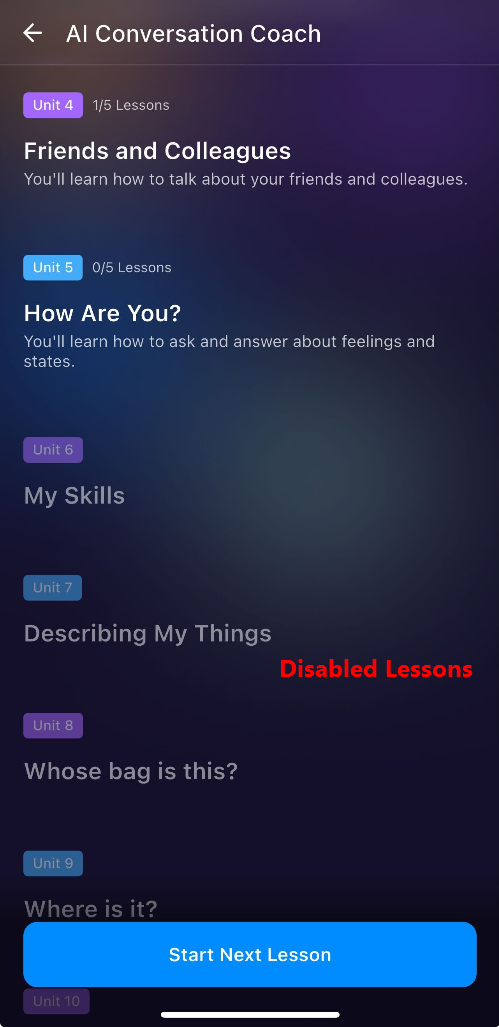
If you notice some lessons in the learning path are greyed or disabled. This is not a technical issue when the units and lessons are greyed out. This happens if you returned to an old and incomplete Learning Path.
Here is the explanation to how Learning Path works.
- When you created a new Learning Path: Our system automatically disabled (grayed out) any units in the previous, incomplete Learning Path that you had not yet studied.
- Your current view: Because you returned to the old/incomplete Learning Path, those units still appear grayed out because they were disabled the moment you generated the new path (example: unit 6 and below). You can only re-do the lessons in this old path that you had already finished before (example: unit 5 and above).
What you can do now:
It is no longer possible to study those grayed-out units. You should focus on studying the units in your newest Learning Path.
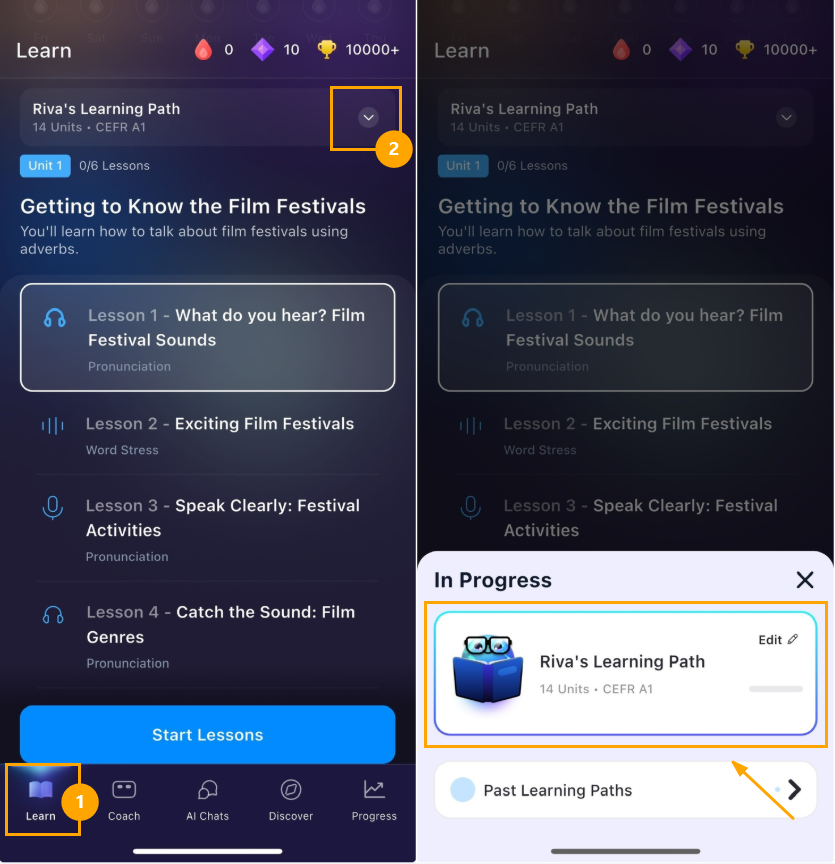
To easily return to your latest new path:
- Go to the Learning Path screen.
- Look for the button at the top of the screen.
- Click this button. A small window (pop-up) will appear showing the status "In Progress".
- Click on Your Name's Learning Path to return to your latest Learning Path and continue studying there.
Was this article helpful?
That’s Great!
Thank you for your feedback
Sorry! We couldn't be helpful
Thank you for your feedback
Feedback sent
We appreciate your effort and will try to fix the article