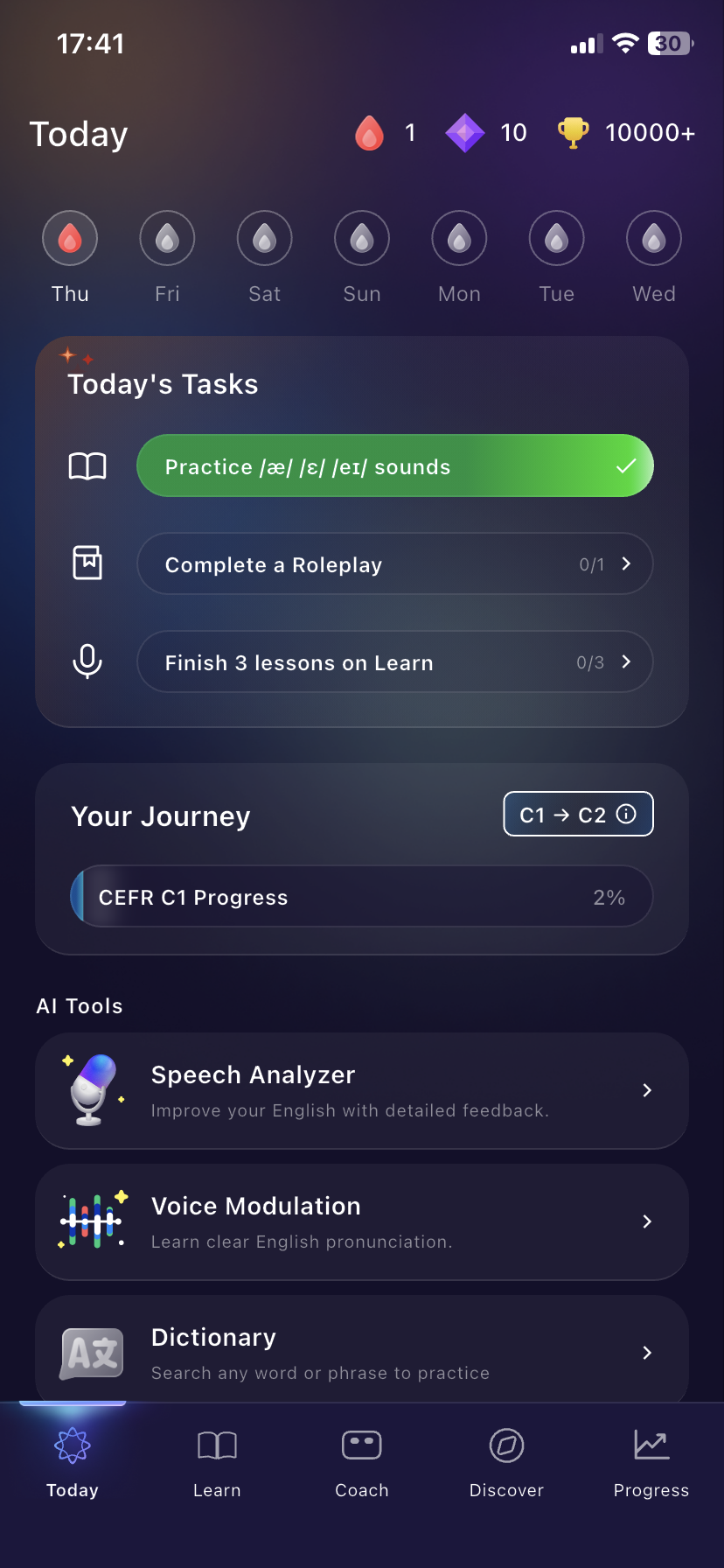
ELSA has a fresh new look built around one simple idea: when you open the app, we tell you what to practice. Your features are now organised into five tabs at the bottom of the screen: Today, Learn, Coach, Discover, and Progress. So everything is faster and easier to find.
Let’s walk through your new navigation bar. Your features are now grouped into five categories based on their use:
- Today: Your AI daily plan, level progress, and quick AI tools.
- Learn: Your assigned courses and the Practice Module.
- Coach: All your AI coaches.
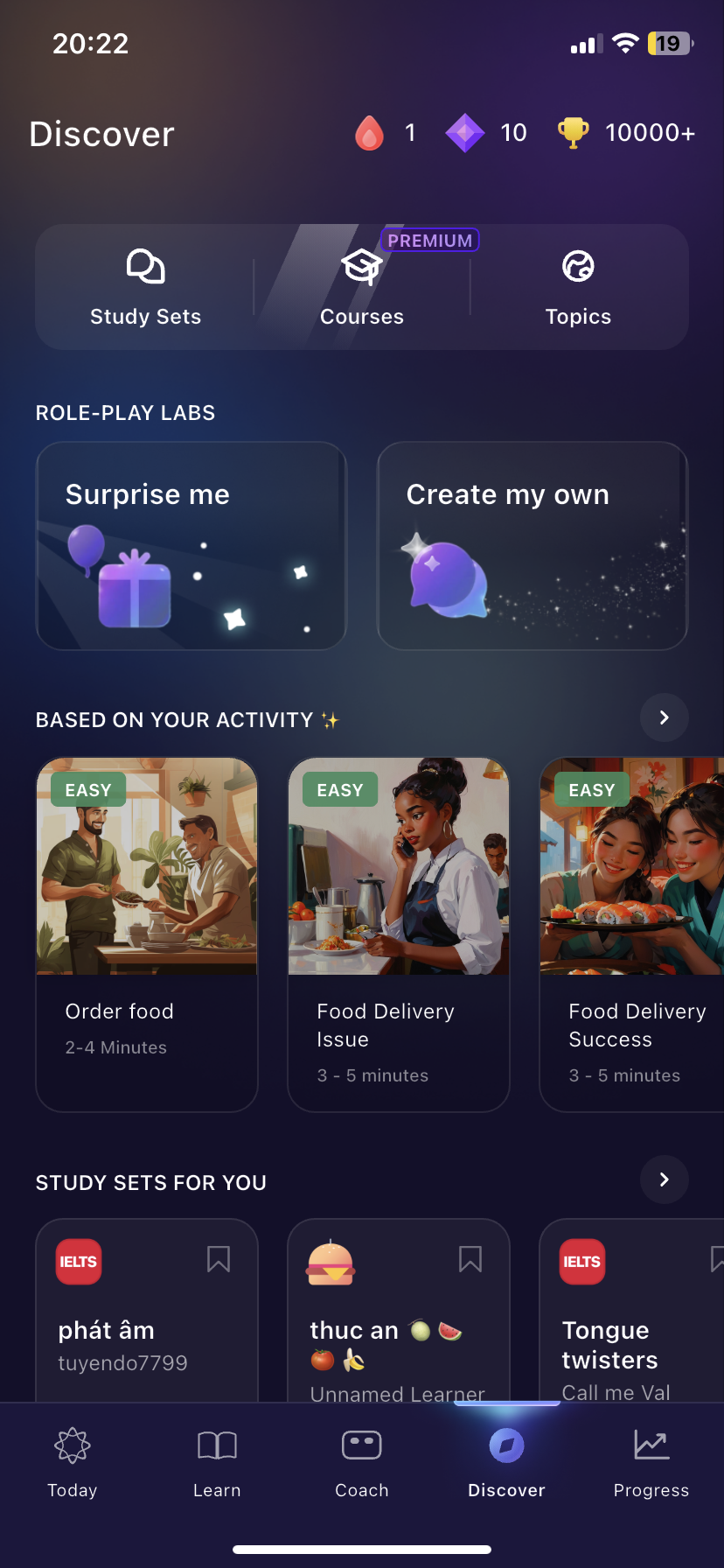
- Discover: Roleplays, Library, Study Sets, Courses, and Topics.
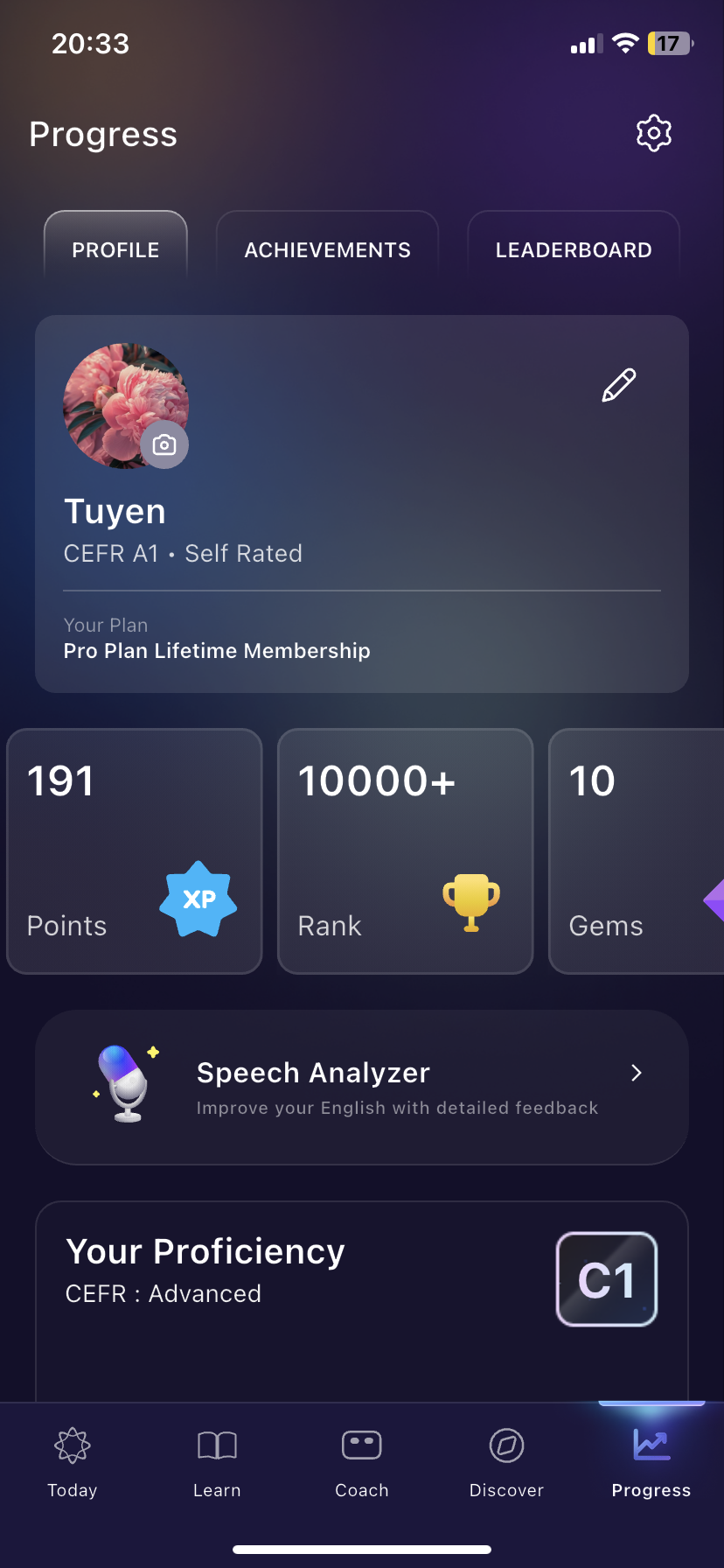
- Progress: Tracking your growth and stats.
Note: Update to version 9.1.5 or later, open the app, and start with whatever Today suggests.
1. Today
The Today tab is your new home screen. Instead of choosing where to start, you’ll find a short plan already waiting for you:
- Today’s Tasks: two to three tasks chosen by AI for your level and goals. Tap any task to go straight to the exact lesson, coach session, or roleplay. Task types include Pronunciation Coach, Learning Path lessons, Grammar Coach, Vocab Coach, and Roleplay.
- AI Tools: one-tap shortcuts to Speech Analyzer, Voice Modulation, Dictionary, and Meeting Companion.
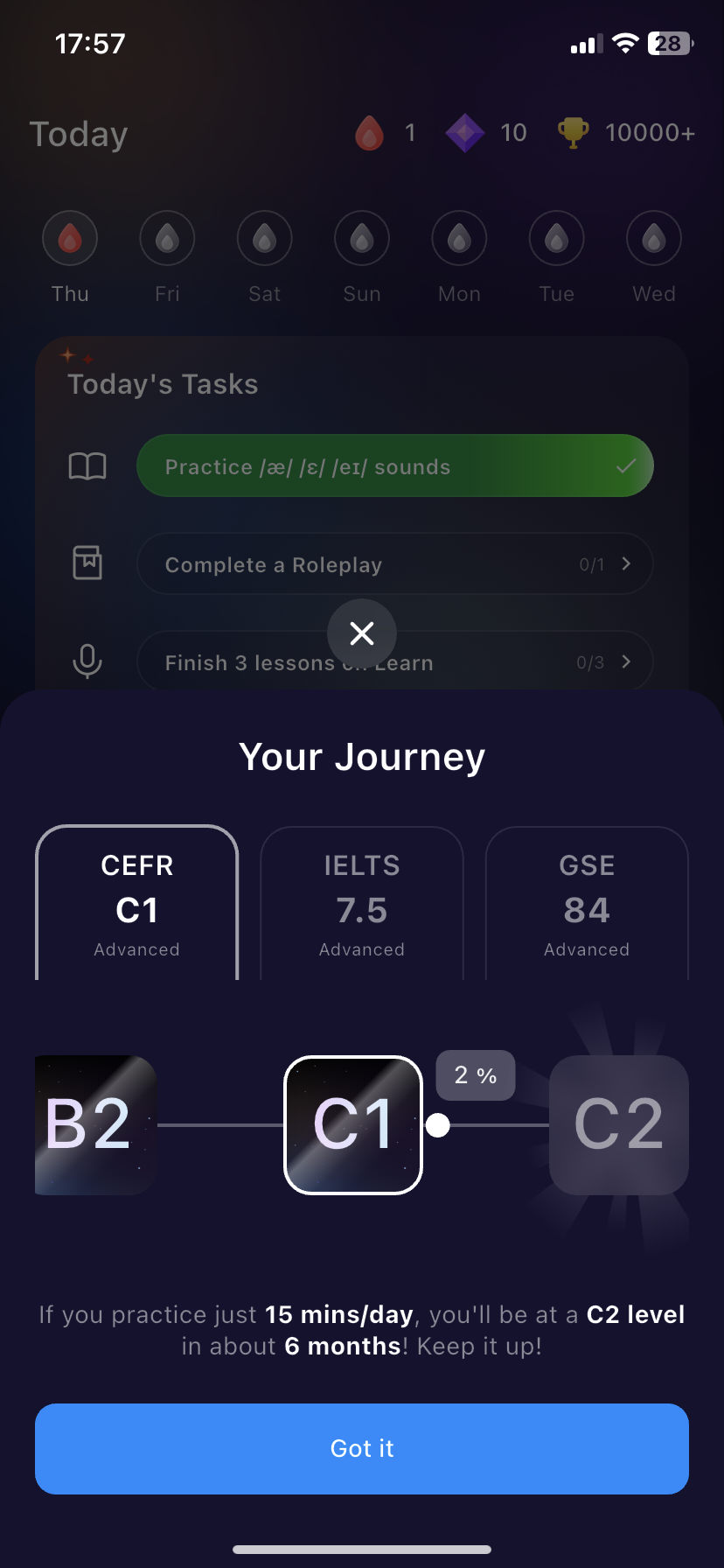
- Your Journey: a CEFR progress bar that moves as you practice, not just when you pass a test. New learners unlock it after completing a Speech Analyzer session.
2. Learn:
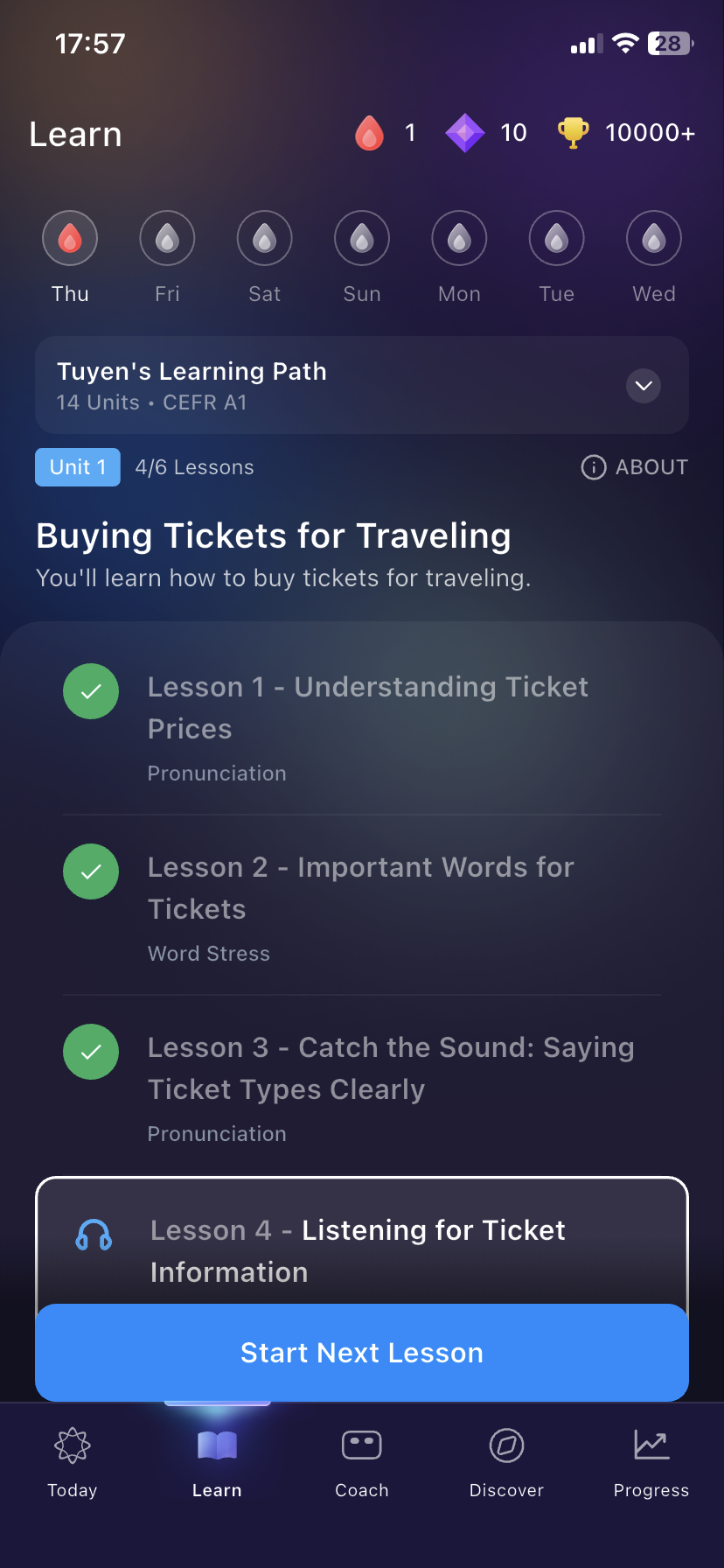
The Learn tab is your home base for structured learning: your Learning Path.
If you’re on a company or school plan, this is where you’ll start with any assigned coursework and the Practice Module.
3. Coach:
Open the Coach tab and Pronunciation Coach is pinned at the top as the featured coach. Below it, all your coaches including Grammar Coach and Vocab Coach are listed and can be filtered by All, Basic, and Professional so you can quickly find the right one for your goal.
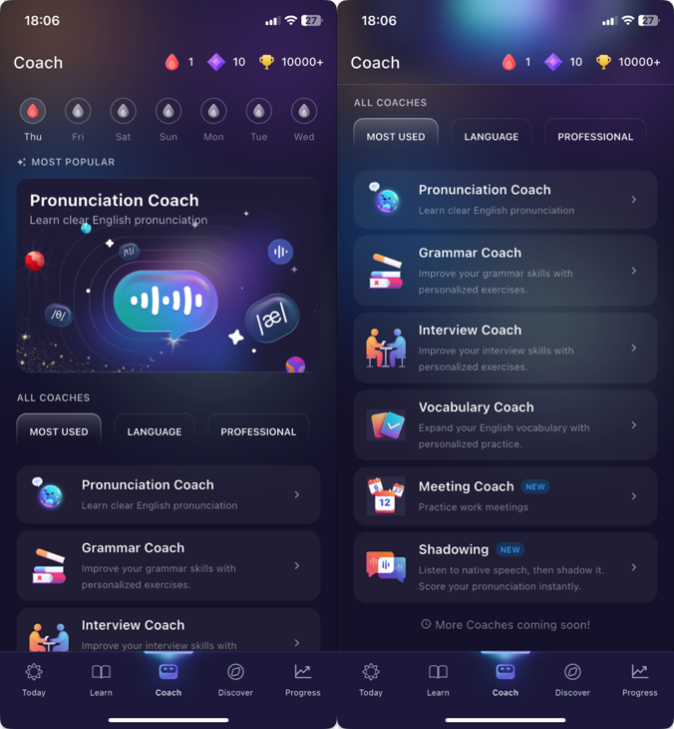
This is where you can find the Speech Analyzer and various coaches for clear English practice.
Here are the coaches available and where to learn more about each one:
- Pronunciation Coach (updating)
- Grammar Coach
- Interview Coach
- Vocabulary Coach
- Meeting Coach (updating)
- Shadowing (updating)
4. Discover:
This tab is where you can explore other features like Courses, Topics, and Study Sets.
- Study Sets: These are lists of words or phrases you can practice. You can create your own sets or use sets made by the ELSA community to focus on the exact vocabulary you need.
- Courses: These are structured learning program designed for specific goals, such as IELTS or Oxford Business. When you finish all the lessons in a course, you can earn an e-Certificate to show your hard work.
- Topics: Lessons of different topics from Career to Daily Conversation, allowing you to practice speaking in your favorite topic.
See more here:
- Courses: https://elsanow.freshdesk.com/en/support/solutions/articles/31000176389-discover-courses
- Topics: https://elsanow.freshdesk.com/en/support/solutions/articles/31000176384-discover-topics
- Study Sets: https://elsanow.freshdesk.com/en/support/solutions/articles/31000176370-discover-study-sets
5. Progress:
The Progress tab shows you how much you are improving in ELSA. At the top of this screen, you can easily switch between your Profile, Achievements, and the Leaderboard.
See more here: Account details, Achievements, Activity, Score
6. Where things moved:
If you’re looking for a feature from the previous version, here’s where to find it now:
| Before | Now |
| Your daily practice starting point | The new Today tab |
| Speech Analyzer (under Coach) | A one-tap tool on the Today tab, under AI Tools |
| AI Chats tab/Role-Play Lab | Discover → Role-Play Labs |
| Self-paced content library | Discover → Library (for B2B learners, this is not in Learn) |
Other Special Learning Features:
Regular vs. Advanced Mode in Pronunciation Lessons
Detailed Feedback for Pronunciation Lessons
- For more details on what's new in ELSA, check out this article here: https://elsanow.freshdesk.com/en/support/solutions/articles/31000177775
- See this folder here for a full list of available features: https://elsanow.freshdesk.com/en/support/solutions/folders/31000122589
To get the most out of these updates, we encourage you to explore the app yourself! While this article explains the navigation, using the app is the best way to see how everything works.
Have feedback for ELSA?
We are constantly updating ELSA Speak to ensure the app works smoothly and provides you with the best learning experience.
Your feedback is very important to us. If there is anything you would like to see improved or a new feature you would like to suggest, please feel free to share your feedback here: https://survey.alchemer.com/s3/8643375/9007be632788
We welcome all your constructive ideas to help make ELSA even better for your English journey.
Was this article helpful?
That’s Great!
Thank you for your feedback
Sorry! We couldn't be helpful
Thank you for your feedback
Feedback sent
We appreciate your effort and will try to fix the article