To reach native-level fluency, you need to know exactly where your speech differs from the target accent. The Advanced Feedback feature is your personal speech coach, providing a microscopic look at every sound you make.
Follow this guide to learn how to use this tool to refine your English.
Step 1: Speak Your Phrase
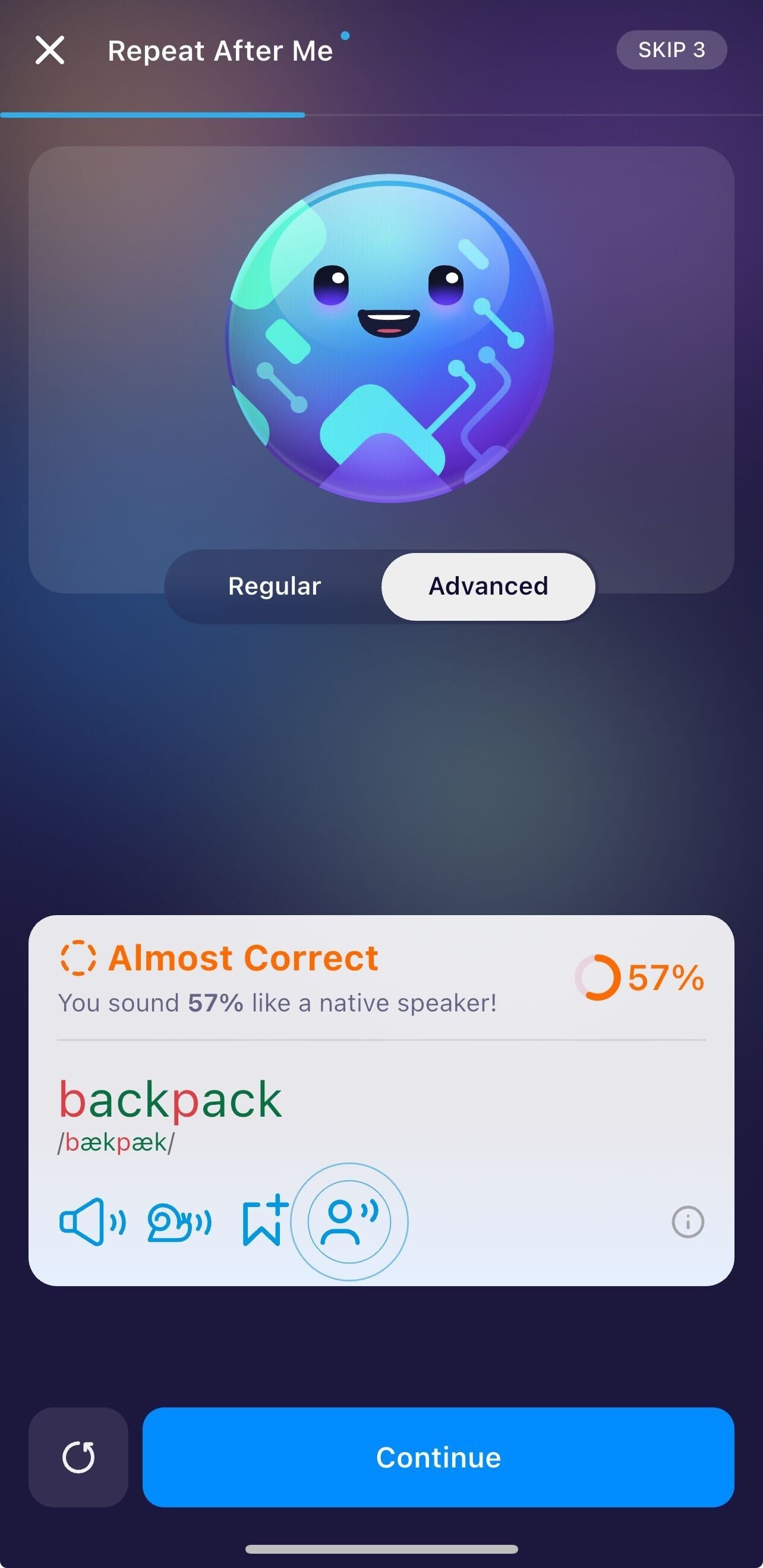
Start by recording your voice as usual. After you finish, the app will provide an overall percentage score.
Step 2: Toggle to "Advanced" Mode
On the results screen, you will see two tabs: Regular and Advanced. Tap on Advanced to unlock the phonetic breakdown. The word will now appear color-coded:
Green letters mean the learner nailed the sound.
Red letters indicate a specific phoneme that needs work.
Step 3: Open the Detailed Sound Map
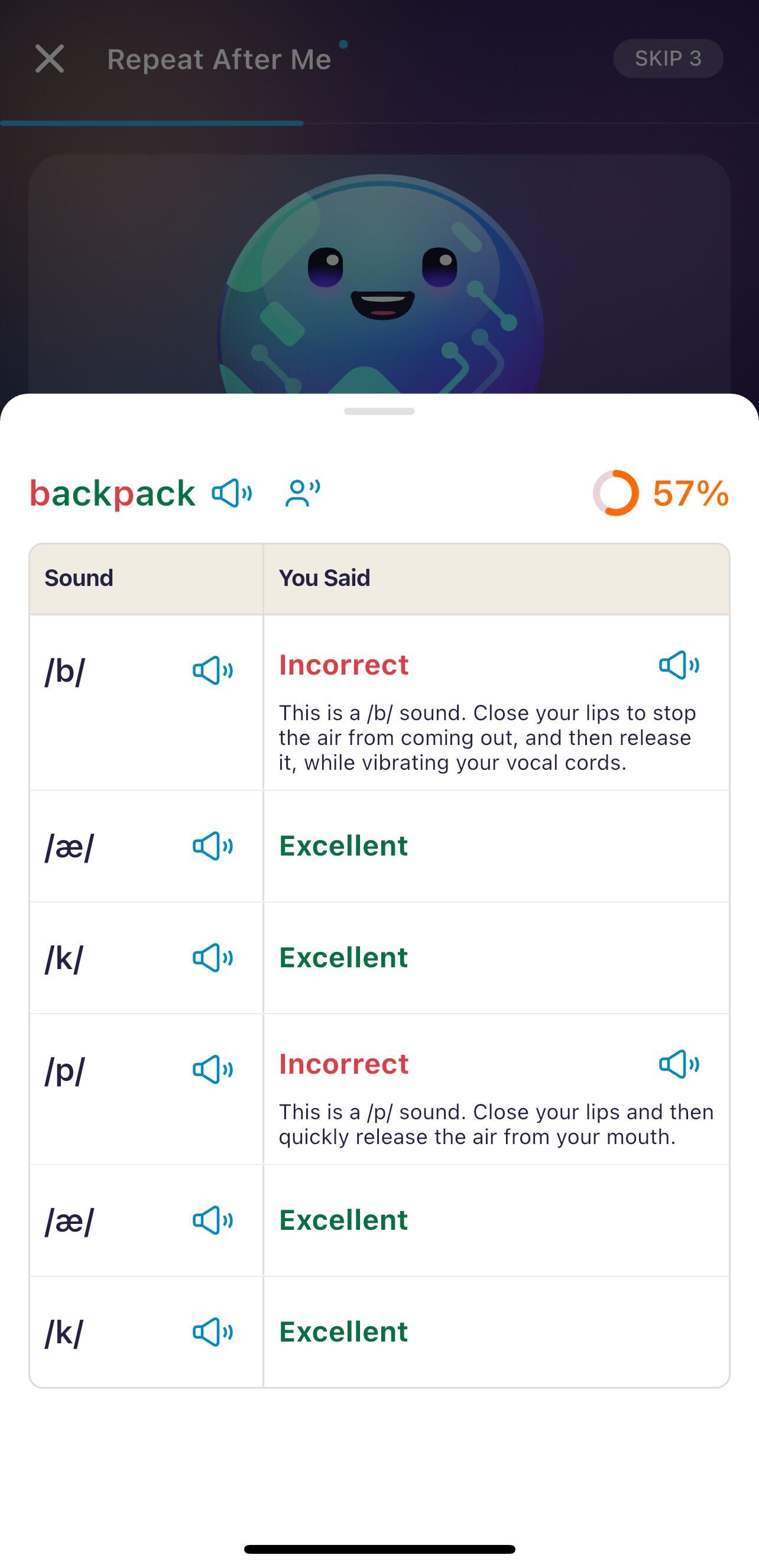
Click directly on the color-coded word to open the Advanced Feedback pop-up. This is where the real magic happens. This screen breaks the word down into its individual International Phonetic Alphabet (IPA) components.
Step 4: Analyze Your Errors
In the pop-up table, look for the sounds labeled "Incorrect."
Read the Technique: For each missed sound, read the specific instructions on lip and tongue placement. (e.g., "Close your lips and then quickly release the air").
Listen and Compare: Tap the speaker icon next to the IPA symbol to hear the correct sound in isolation. Then, tap the speaker icon under "You Said" to hear exactly what you recorded.
Step 5: Practice and Repeat
Once the learner understands the physical movement required for the sound (like vibrating the vocal cords for a /b/ vs. just air for a /p/), tap the Retry icon to record again.
Pro Tip: Focus on one "red" sound at a time. If you fix the /p/ in "backpack" first, the rest of the word often falls into place!
Where to Find Advanced Feedback
It is important to note that this feature is specialized for Pronunciation mastery. You won't see this specific breakdown in Grammar, Vocabulary, or Listening modules.
To access Advanced Feedback, look for these specific Pronunciation games:
Repeat After Me: Simple word or sentence imitation.
Scripted Conversation: Follow the Role-playing dialogues.
Was this article helpful?
That’s Great!
Thank you for your feedback
Sorry! We couldn't be helpful
Thank you for your feedback
Feedback sent
We appreciate your effort and will try to fix the article