This feature lets you control how detailed your pronunciation feedback is.
You can now switch between two modes:
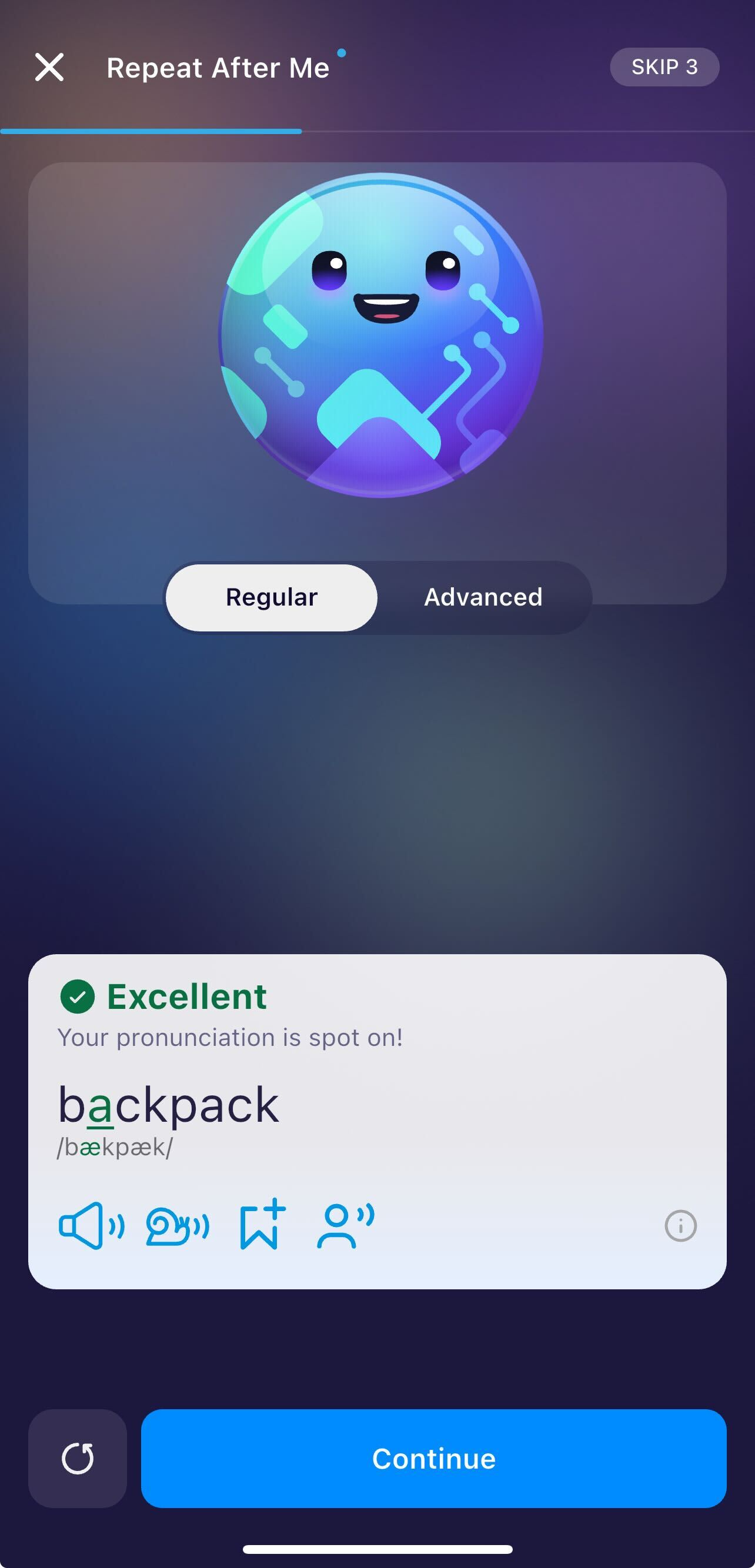
Regular Mode (Default for all users)
Provides phoneme-level feedback, highlighting specific sounds you need to improve (e.g., /θ/, /r/, /æ/).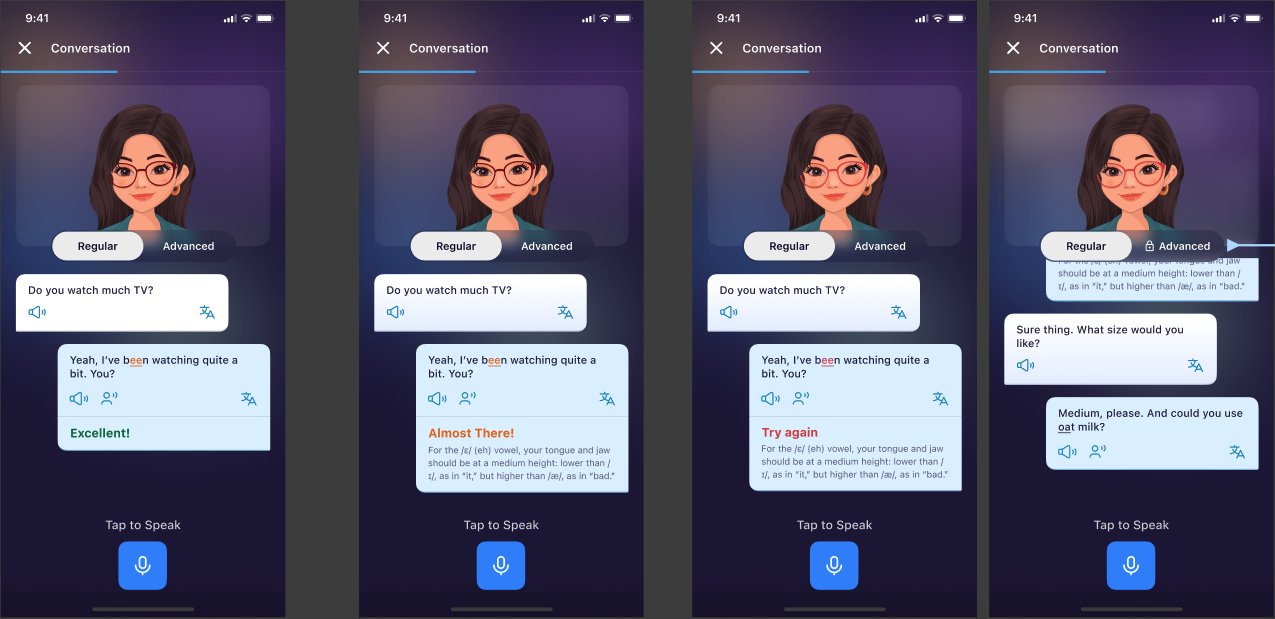
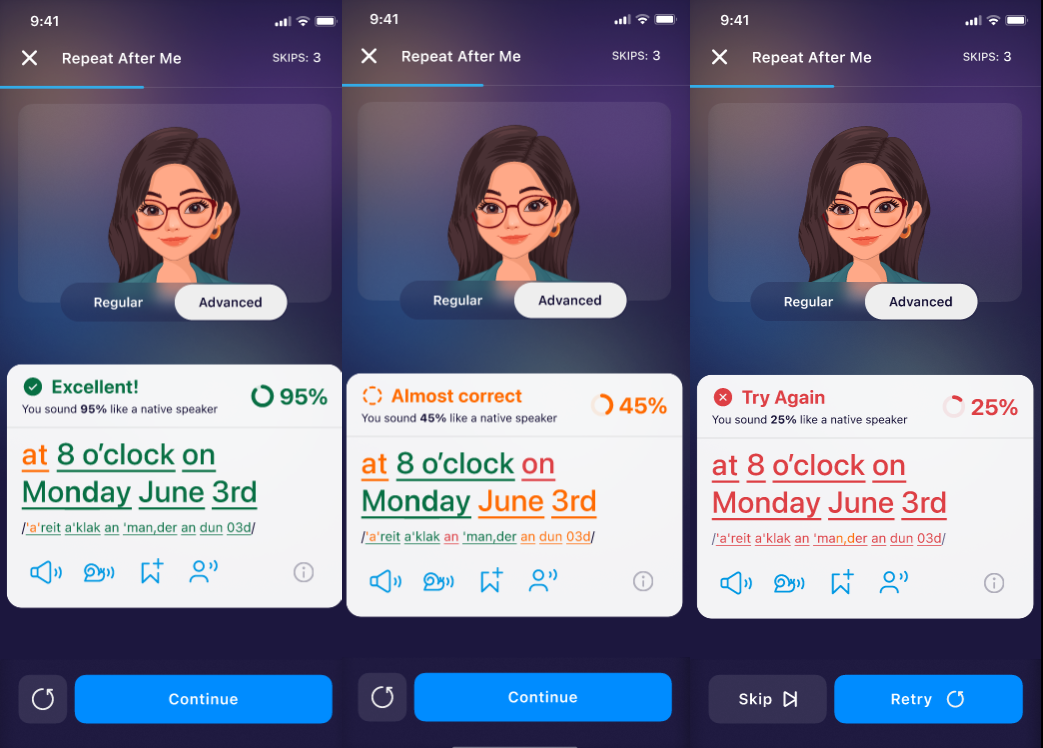
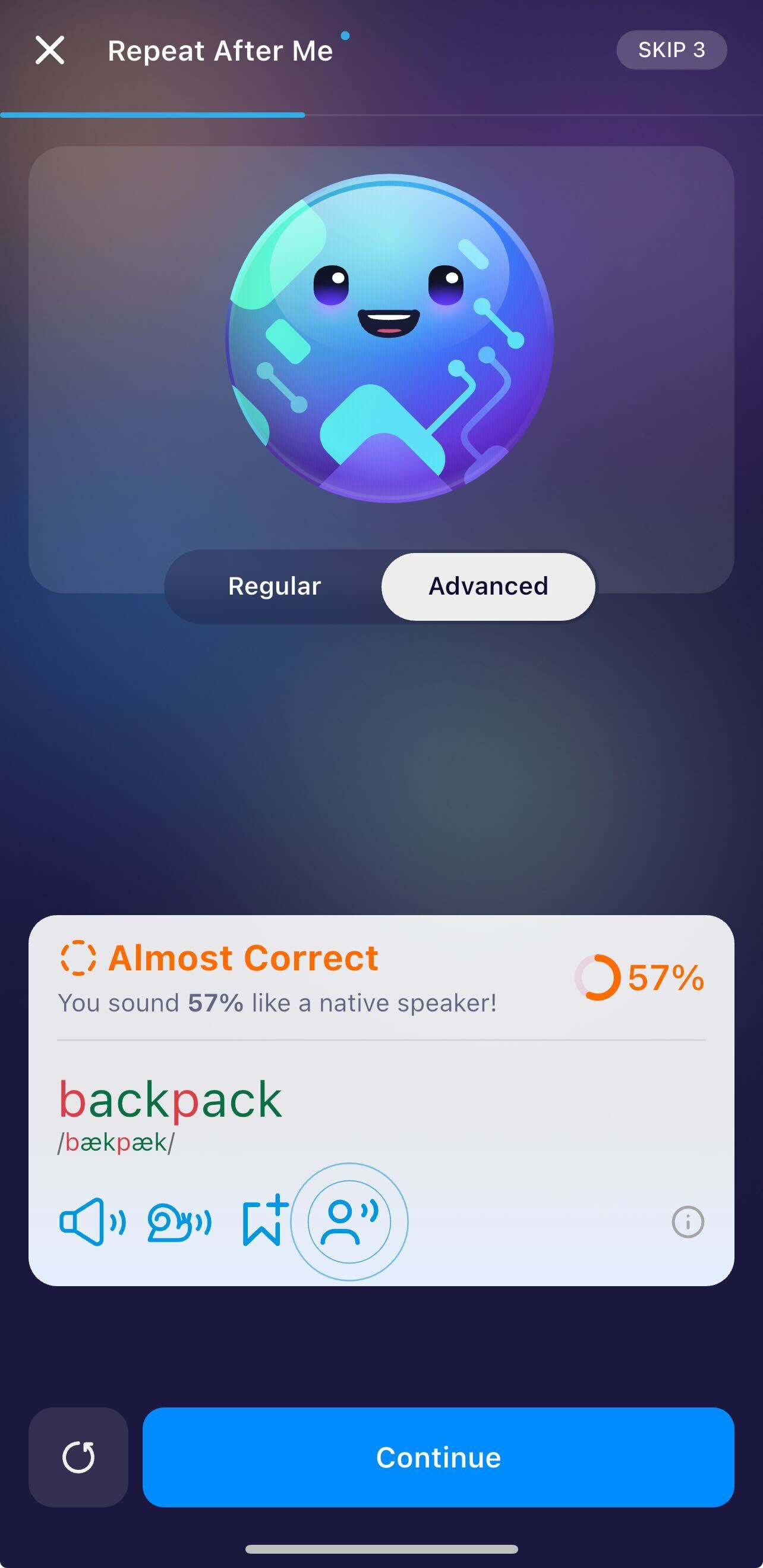
Advanced Mode (Exclusive to paid users)
Provides full-word feedback, showing how well you pronounced each word in the sentence.
This is ideal for learners who want a deeper, more accurate pronunciation evaluation.
Where Is This Available?
You can access Regular and Advanced modes in:
Repeat After Me
Scripted Conversation
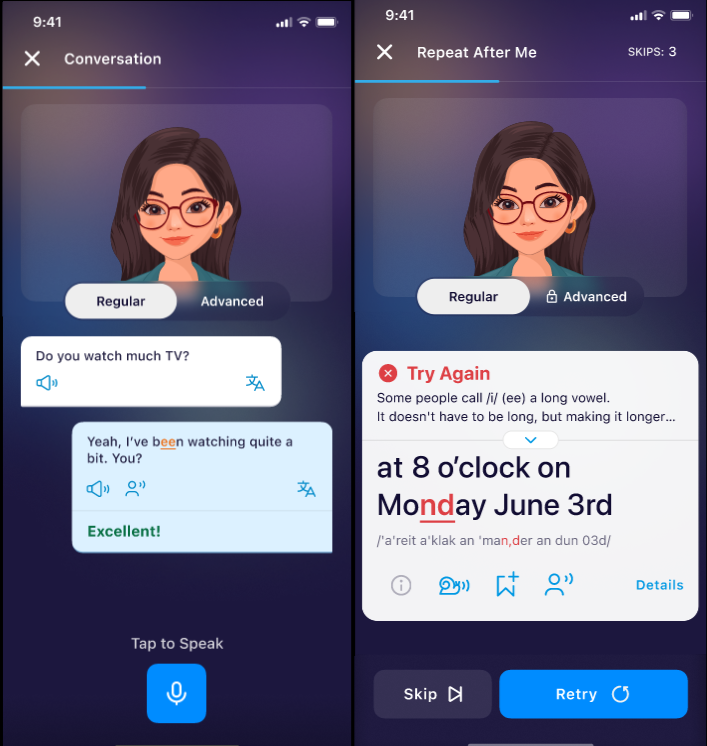
Both lesson types now include a mode selector for feedback detail.
How to Switch Between the Modes:
All users start in Regular Mode automatically.
How to Toggle
Start a Repeat After Me or Scripted Conversation lesson.
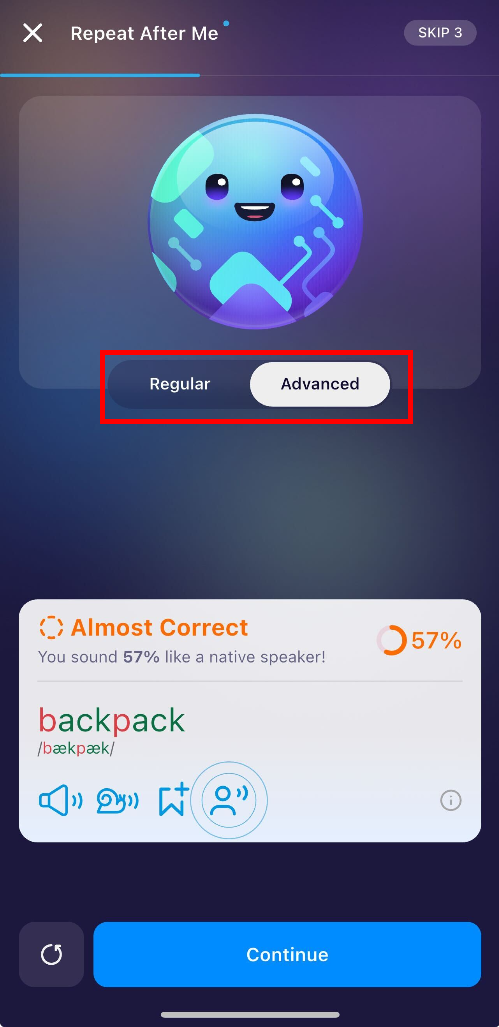
Look for the Feedback Mode toggle on the screen.
Tap to switch between:
Regular Mode → phoneme feedback
Advanced Mode → full-word feedback
What Kind of Feedback Will I See?
Meaning of colors:
- Red: Indicates sounds or words that need significant improvement.
- Yellow: Shows areas where you’re close but not quite accurate.
- Green: Means you’ve pronounced the word or sound correctly!
Regular Mode:
You will see:
Which specific sounds were mispronounced
Color-coded indicators for accuracy
Best for: beginners or anyone who wants targeted phoneme practice.
Advanced Mode:
You will see:
Accuracy score for each full word
Visual breakdown showing strong vs. weak words
A more holistic evaluation of your overall pronunciation
Suggestions for improving word-level rhythm, stress, and clarity
Best for: intermediate to advanced learners aiming for natural, fluent speech.
Frequently Asked Questions (FAQ)
What is the difference between Regular and Advanced Mode?
Regular Mode: Shows phoneme-level feedback.
Advanced Mode: Shows full-word feedback with more detailed analysis. (Premium Only)
Different users learn differently. This mode differentiation allows you to:
I’m a free user. Why can't I access Advanced Mode?
Advanced Mode is a Premium feature that requires an upgrade.
Free users can continue enjoying Regular Mode at no cost.
Will switching modes affect my progress?
No. Your learning progress, achievements, and scores remain the same regardless of the feedback mode you choose.
Which mode is better for improving fast?
Both modes help, but:
Regular Mode is best for correcting specific sound issues.
Advanced Mode is ideal if you want a more complete picture of your pronunciation accuracy.
Using both can accelerate progress.
Is Advanced Mode available in all features of the app?
No. Advanced Mode is currently supported in Repeat After Me and Scripted Conversation lessons only.
Was this article helpful?
That’s Great!
Thank you for your feedback
Sorry! We couldn't be helpful
Thank you for your feedback
Feedback sent
We appreciate your effort and will try to fix the article