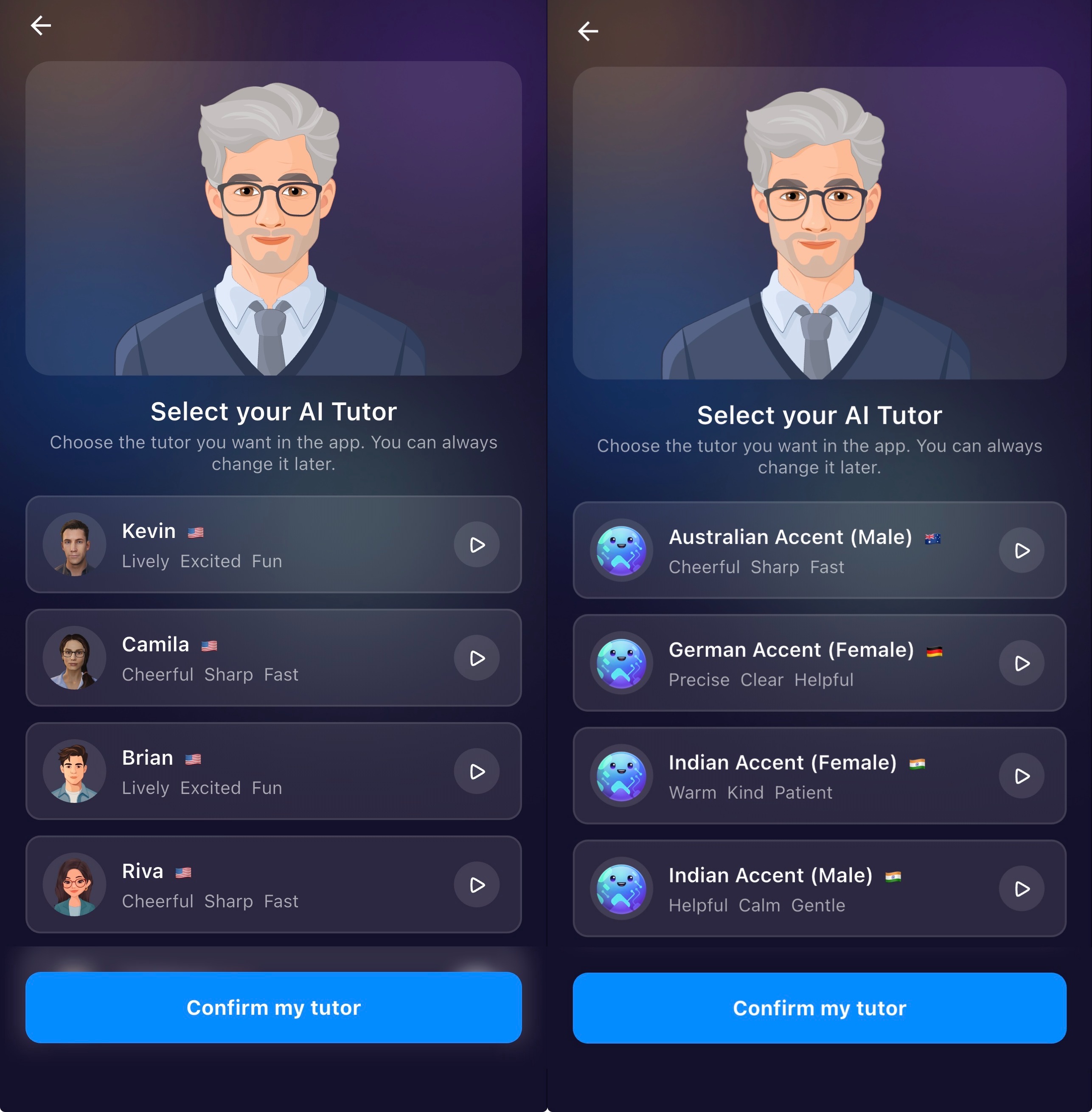
ELSA’s AI Tutor is designed to be your personalized speaking partner. To tailor your experience, you can choose between American, British, Australian, Indian, German accents, as well as a variety of male and female avatars with distinct vocal tones.
Whether you prefer a wise, steady guide or a lively, high-energy coach, you can select the partner that best fits your learning style.
Additionally, ELSA now offers 3D Tutors (Kevin and Camila) to provide a more immersive and realistic interactive experience.
| Kevin (3D) | American | Lively Excited Fun |
| Camila (3D) | American | Cheerful Sharp Fast |
| Brian (2D) | American | Lively Excited Fun |
| Riva (2D) | American | Cheerful Sharp Fast |
| Professor (2D) | British | Wise Gentle Steady |
| Lily (2D) | British | Polite Elegant Clear |
| Planet (2D) | American | Upbeat Lively Enthusiastic |
| Australian Accent (2D) | Australian | Cheerful Sharp Fast |
| German Accent (2D) | German | Precise Clear Helpful |
| Indian Accent (2D) (Male) | Indian | Warm Kind Patient |
| Indian Accent (2D) (Female) | Indian | Helpful Calm Gentle |
Note on Device Performance:
Please note that using 3D Tutors (Kevin and Camila) requires higher processing power from your device. If you are using an older device or notice the app lagging while using these characters, we recommend switching to a 2D Avatar (such as Brian, Riva, or the Professor) for a smoother, high-performance experience.
How to change the AI accents:
To change the tutor voice, please go to Profile tab > click Edit profile > then edit the Tutor Voice.
After you have set the accent, the ELSA avatar will speak in the selected English accent.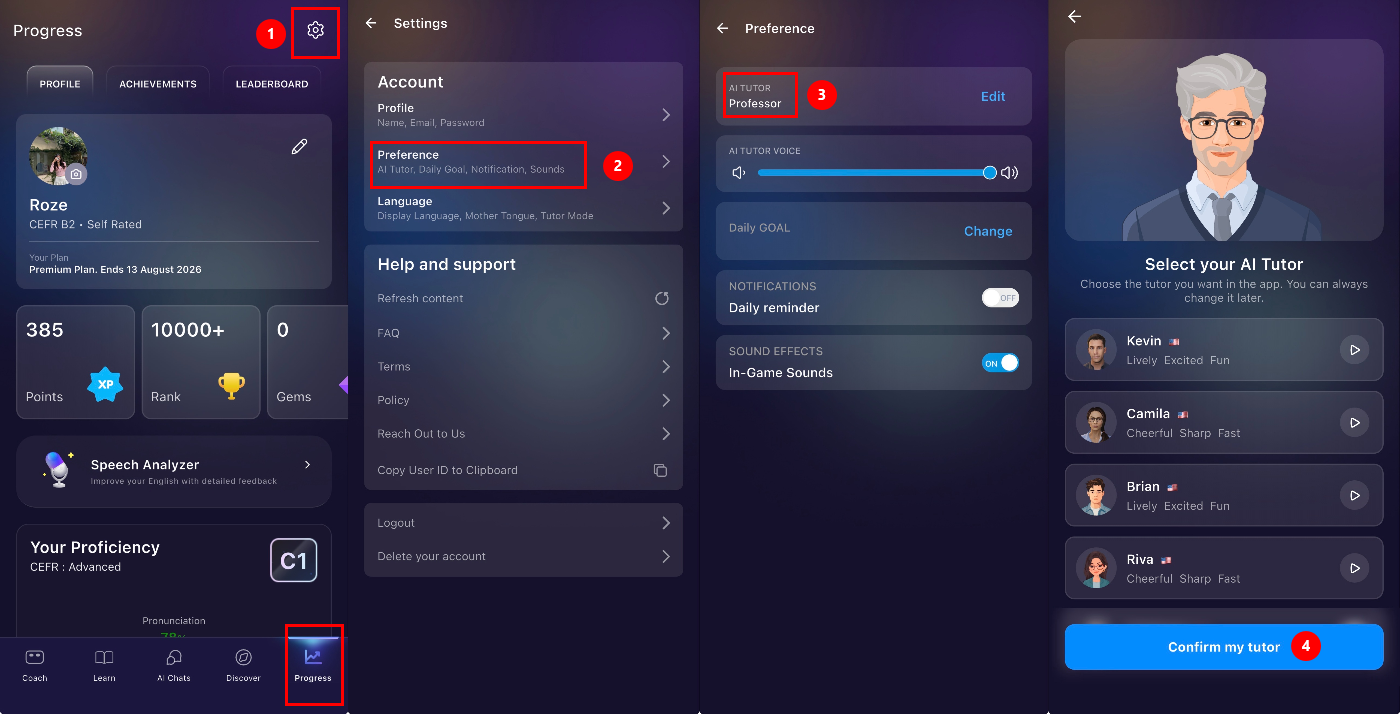
Was this article helpful?
That’s Great!
Thank you for your feedback
Sorry! We couldn't be helpful
Thank you for your feedback
Feedback sent
We appreciate your effort and will try to fix the article