Instruction to reset password for your ELSA account:
Note: You can reset your password if your account was registered with an email and password. If your account was registered via a social media account, please log in using that corresponding method
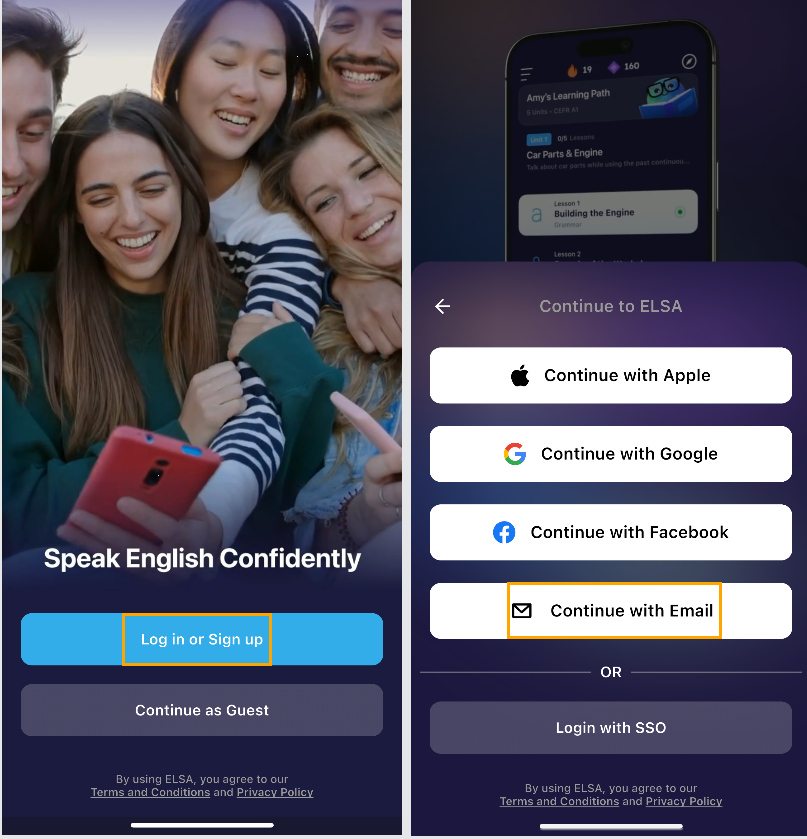
- Install ELSA app on mobile phone. Open the ELSA app.
- On the initial screen, choose Login or Sign Up.
- Continue with Email.
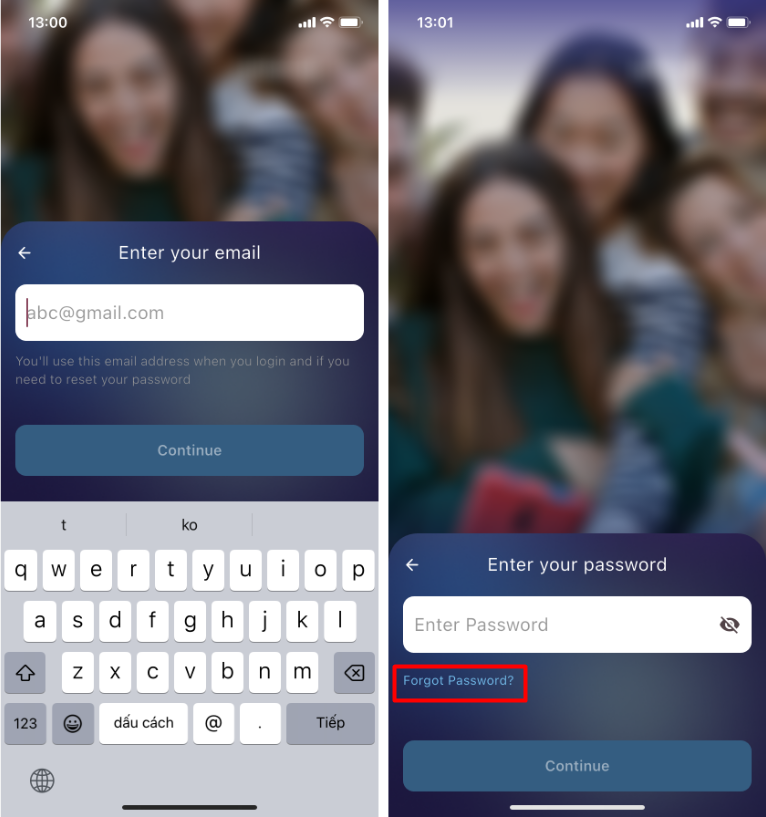
- Enter your ELSA account email address into the box.
- Click "Forgot Password".
- Enter your email. A link to reset your password will be sent to this email address.
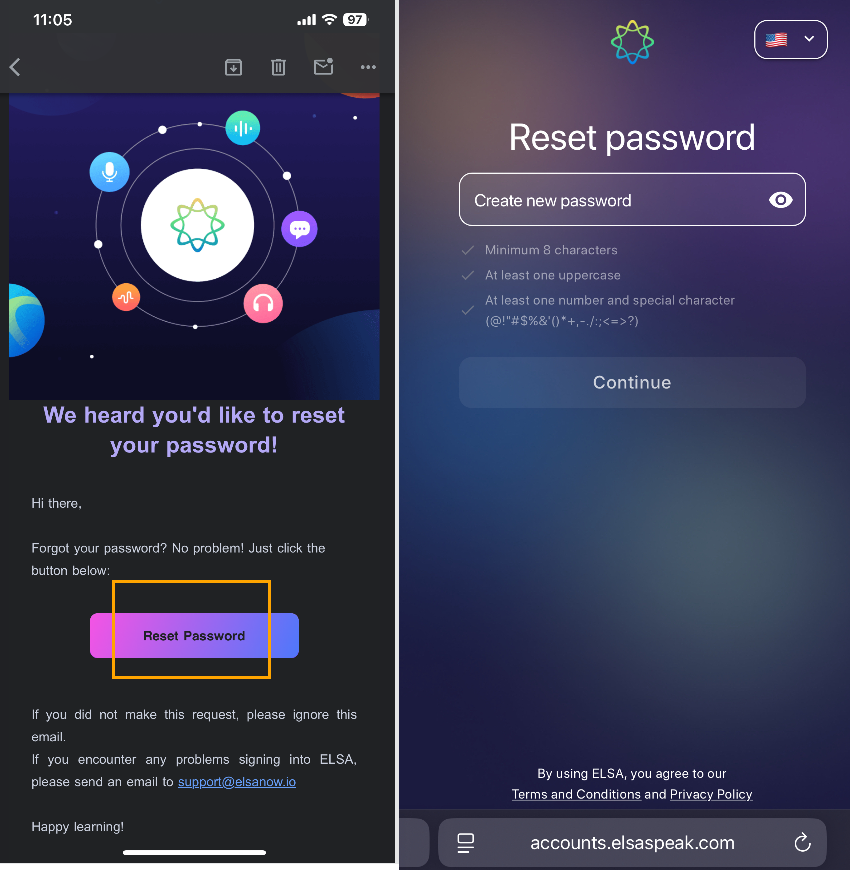
- Open your email inbox and look for an email from ELSA titled "Reset ELSA Account Password". (Check your Spam/Promotions folder if you do not see it).
- Click the link in the email to be directed to the reset page. From there, enter your new password and click "Set password".
Note: Please set up a strong password to ensure better security for your account:
Minimum 8 characters
At least one uppercase letter
At least one number and one special character (
@!"#$%&'()*+,-./:;<=>?)
Was this article helpful?
That’s Great!
Thank you for your feedback
Sorry! We couldn't be helpful
Thank you for your feedback
Feedback sent
We appreciate your effort and will try to fix the article