If you paid for a subscription and received a voucher code. Please follow the instruction below to activate this voucher code to upgrade your account.
A/ If you do not have an ELSA account:
You can register an ELSA account by installing ELSA Mobile app on your phone. See instruction here.
Then, see the instruction below to activate the code.
B/ If you already have an ELSA account:
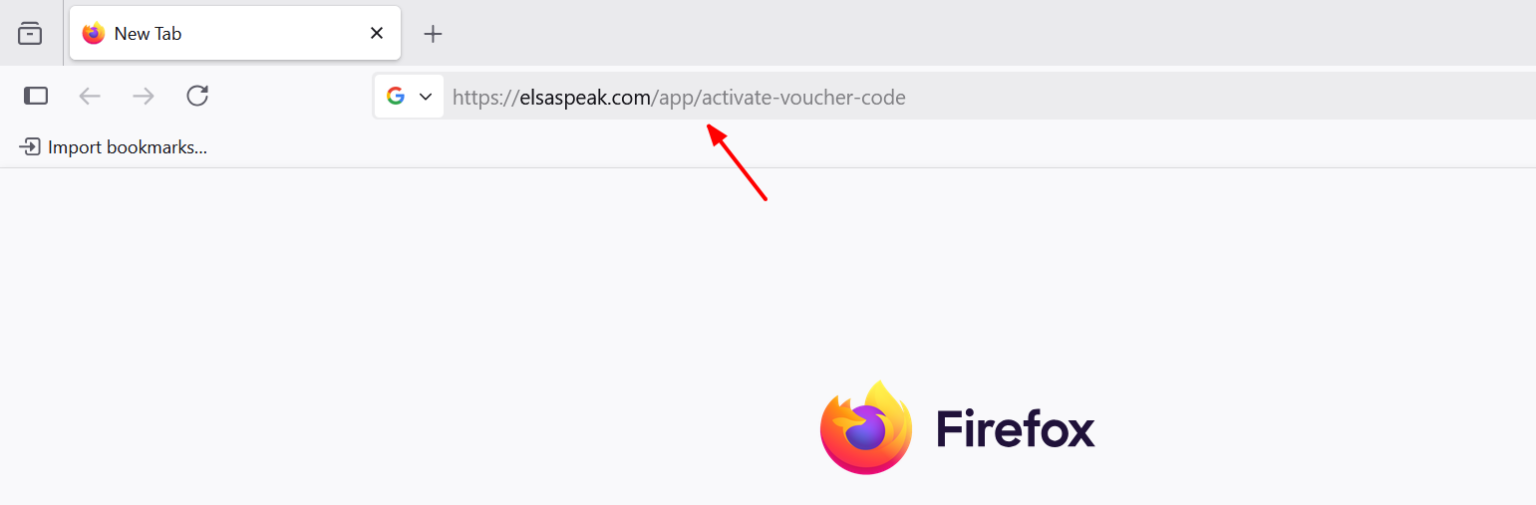
Step 1: Go to https://elsaspeak.com/app/activate-voucher-code
Important: Voucher codes cannot be activated in the app. Please open the provided web link to activate your code.
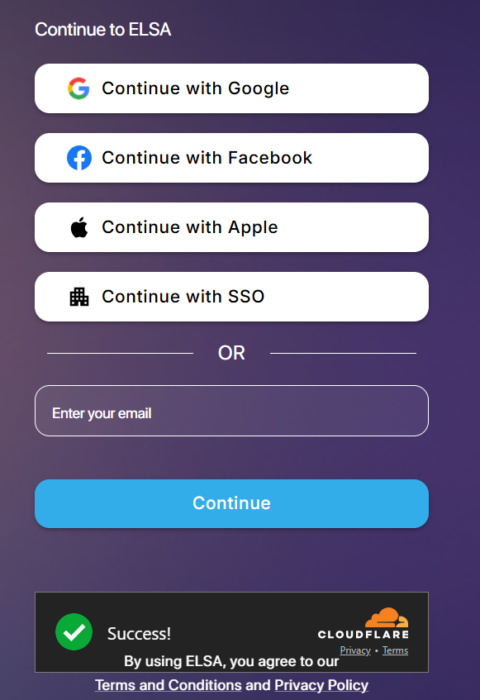
Step 2: Log in to your ELSA account, depending on the login credentials that you used to register an account.
- Email and password
- Apple
- Google
If you do not remember the login credential, you can open the ELSA app > Profile > Edit your Profile and check the information of login email.
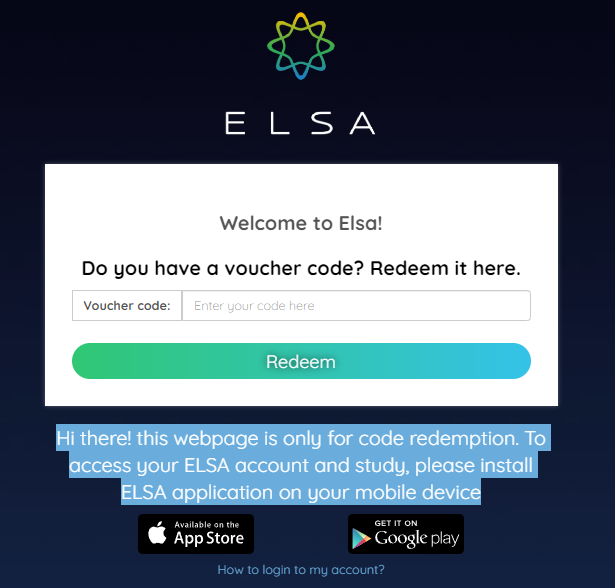
Step 3: Enter the activation code with ALL CAPITAL LETTERS and click “Redeem”
Step 4: Return to the ELSA app on your phone/tablet. You might need to re-install the app, then log in to the same ELSA account that you previously used to activate the code.
Step 5: Go to Profile in the ELSA app and check if the membership status is updated correctly. The expiration date should be listed under your user profile name.
Common Questions
1/ Error: Code is invalid or expired.
2/ The button of Facebook/Google/Apple login does not respond when being clicked.
3/ Code was activated. Now how can I log in to ELSA?
Was this article helpful?
That’s Great!
Thank you for your feedback
Sorry! We couldn't be helpful
Thank you for your feedback
Feedback sent
We appreciate your effort and will try to fix the article