Note: This applies only to Apple in-app subscriptions. See this page for other platforms.
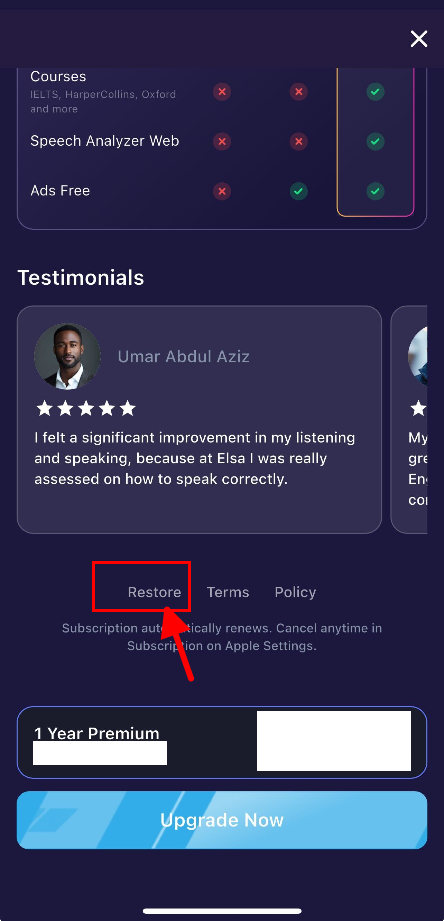
To restore your purchase, please follow the steps outlined below:
Navigate to the Profile tab > Upgrade > search for the "Restore purchase" button and click it to initiate the restoration process of your in-app purchases.
Was this article helpful?
That’s Great!
Thank you for your feedback
Sorry! We couldn't be helpful
Thank you for your feedback
Feedback sent
We appreciate your effort and will try to fix the article