The Sound Effects setting allows you to turn in-app sound effects on or off independently from voice and bot audio.
Please note that this feature is only available on Android and iOS version 9.0.7 or later.
When Sound Effects are turned off, only in-app sound effects will be muted. Voice and AI Tutor audio settings will remain unchanged.
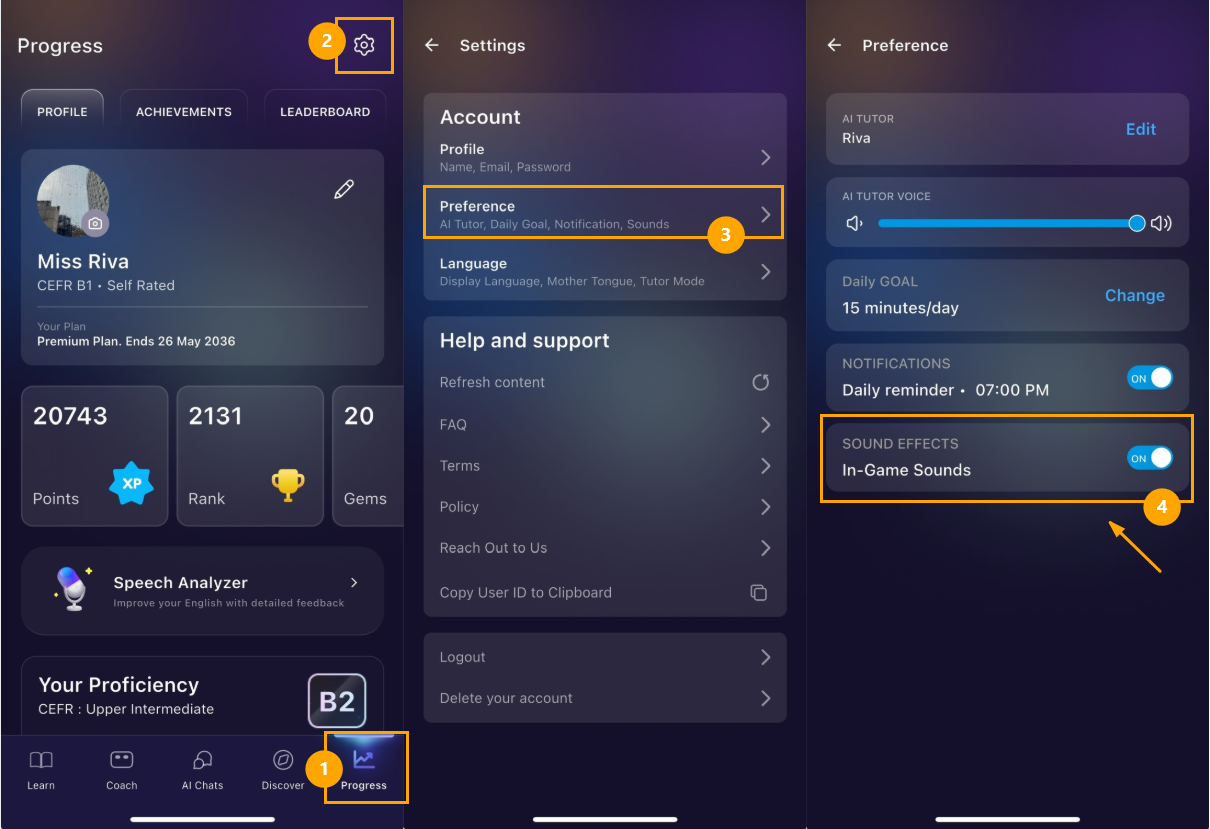
How to adjust in-app sound effect volume
- Open the Progress screen
- Tap the Settings icon
- Select Preference
- Toggle Sound Effects on or off based on your preference
Was this article helpful?
That’s Great!
Thank you for your feedback
Sorry! We couldn't be helpful
Thank you for your feedback
Feedback sent
We appreciate your effort and will try to fix the article