A guest account refers to an account for which you have paid for the subscription but have not completed the registration process, meaning this account does not possess a login email. Your objective is to establish a login email for this account.
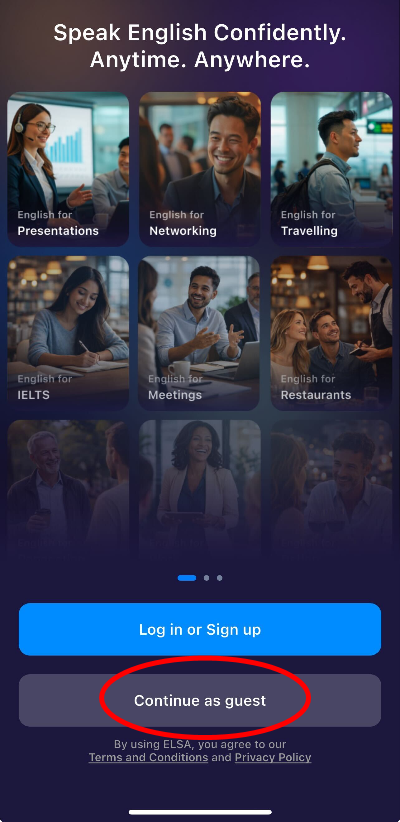
On the login screen, select "Continue as Guest" and proceed until you access the Guest account where the paid subscription will be visible in your Profile.
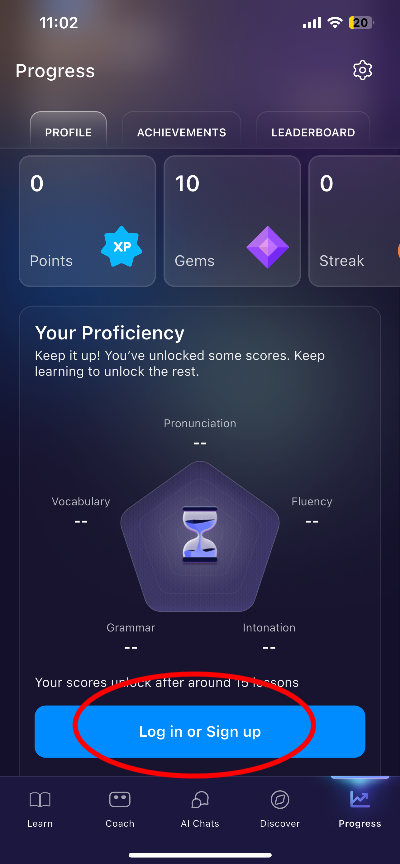
Navigate to Profile and click on the Log In or Sign Up button to register an email for this account.
Please use a new email/social account that has not been associated with any ELSA account for this registration process. If you use an email/social account that has already been registered, you will be directed to that account instead and won't be able to complete the registration. If that happens, kindly restart the process here again.
Was this article helpful?
That’s Great!
Thank you for your feedback
Sorry! We couldn't be helpful
Thank you for your feedback
Feedback sent
We appreciate your effort and will try to fix the article