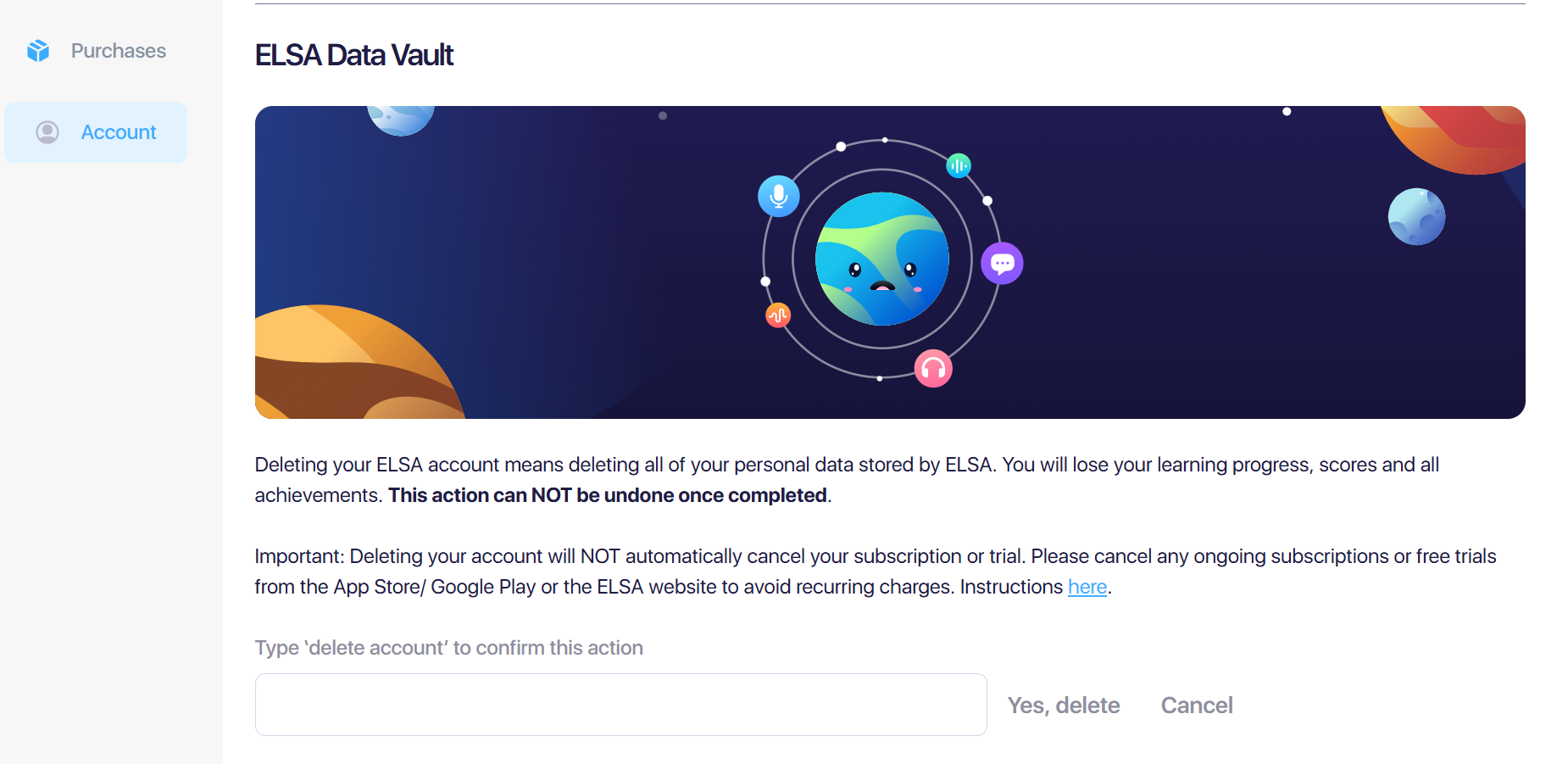
Please note that deleting your account means deleting your history and studying progress in ELSA and your active subscription.
Deleted accounts cannot be restored. It is not possible to restore any of the data and subscription access once the account is deleted.
Step 1: Cancel your active subscriptions:
As the first step, check if you are currently subscribed to any of our subscription plans. Ensure to cancel the subscription to stop the recurring charge in the next cycle. Please follow the instruction here: https://elsanow.freshdesk.com/en/support/solutions/folders/31000122585
If the subscription is still active, you might not be able to delete it. Please contact us at support@elsanow.io and provide the receipt of payment to request account deletion.
Step 2: How to delete your account:
You can delete in the ELSA app or on the website.
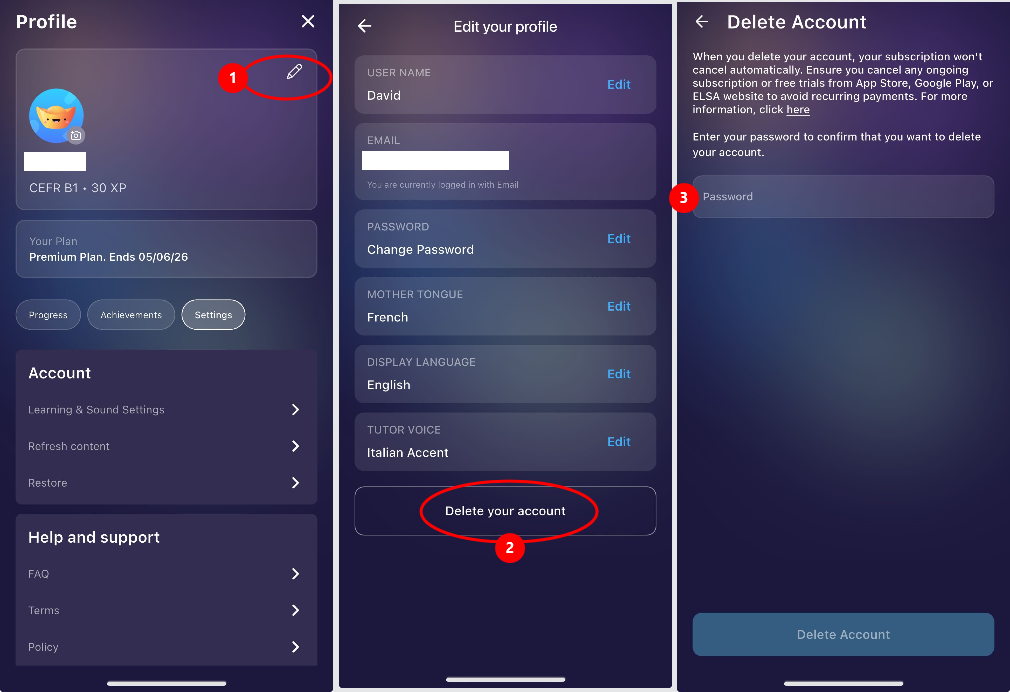
1. In ELSA app:
Go to Your Profile > Edit your profile > Delete account > follow the instruction on the screen
2. On the website:
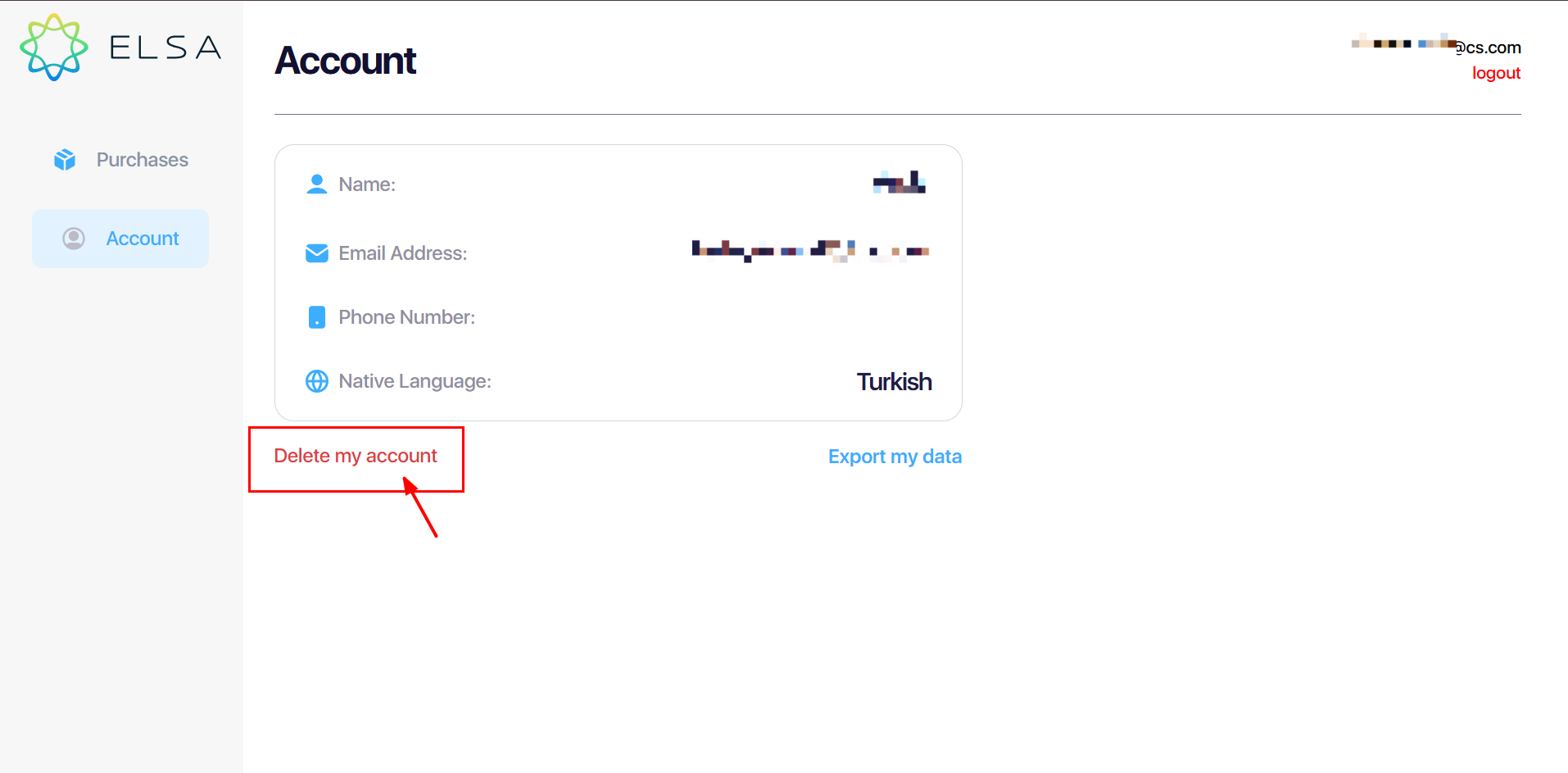
1. Go to this page: https://elsaspeak.com/en/profile/account/
2. Login with the ELSA account that you want to delete.
3. Choose Delete Account and follow the instruction on screen.
Was this article helpful?
That’s Great!
Thank you for your feedback
Sorry! We couldn't be helpful
Thank you for your feedback
Feedback sent
We appreciate your effort and will try to fix the article