With Study Sets, you can:
- Personalize your own list of vocabulary or phrases to practice pronunciation with ELSA.
- View study sets created by other ELSA learners.
- Add the word/phrases from a lesson to a study set for further practice.
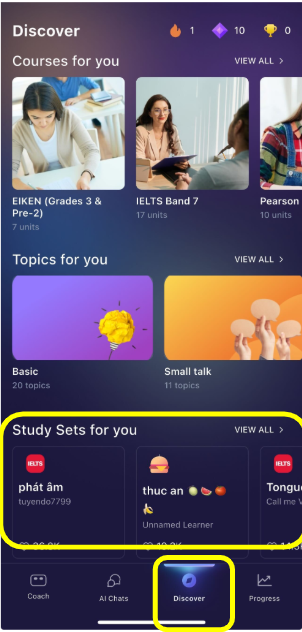
To find study set: go to Discover tab > Choose "View All" to expand
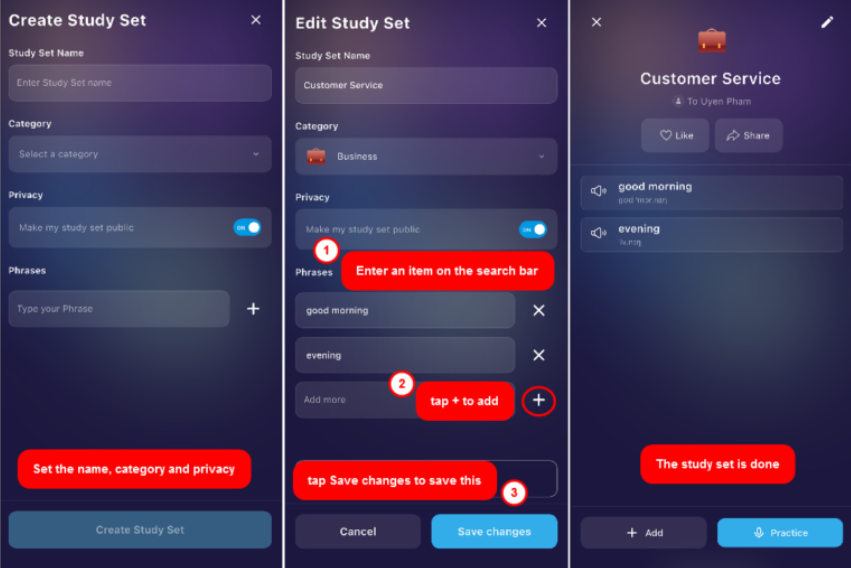
1. Create a study set
Customize your personalized word lists to study.
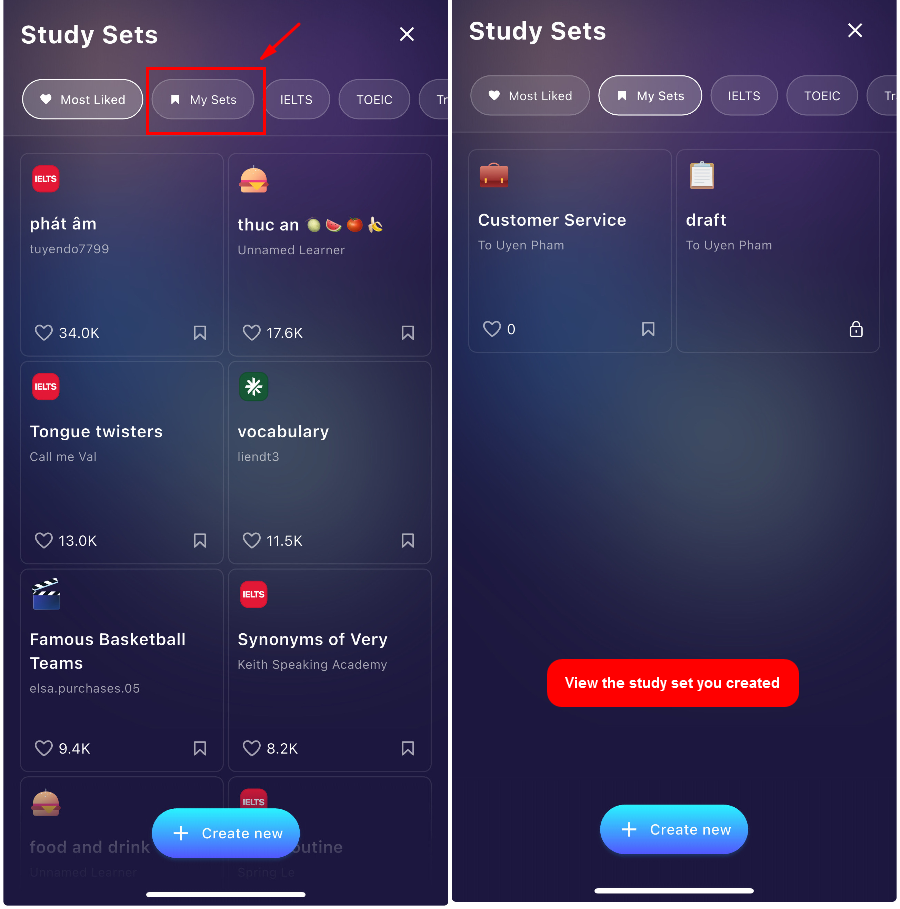
2. View your Study Sets:
View Study Sets that you’ve created or saved. Click on "My Sets" tab.
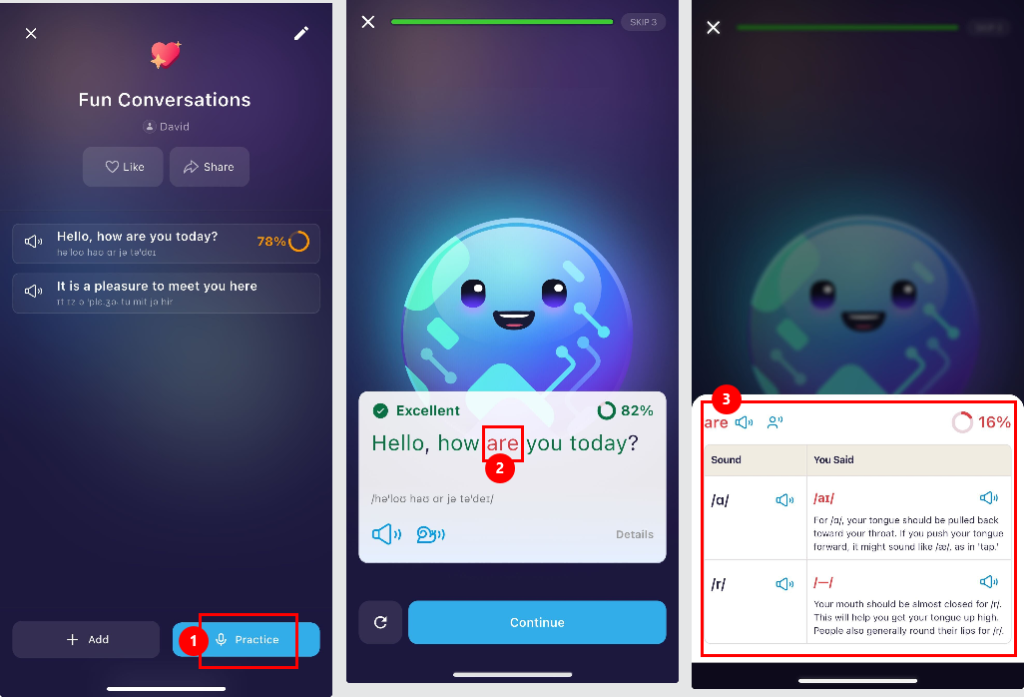
You can open the study set list to practice speaking all the sentences and words added. Make sure to tap on the red words to open the advanced feedback pop-up.
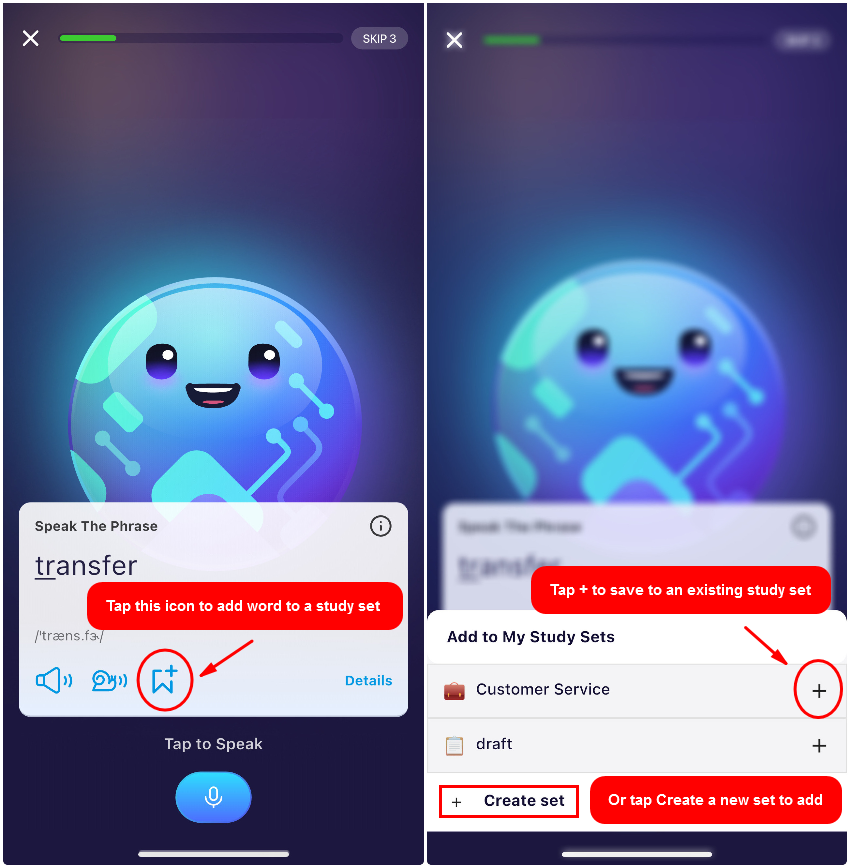
3. Save an item from a lesson to the study sets:
If you would like to add a word or a sentence from an existing lesson to a study set to practice later.
To the Save icon to add words to a study set. You can add into an existing study set or create a new study set.
Note that this feature only applies to the Pronunciation and Word Stress lesson in Topics and Courses.
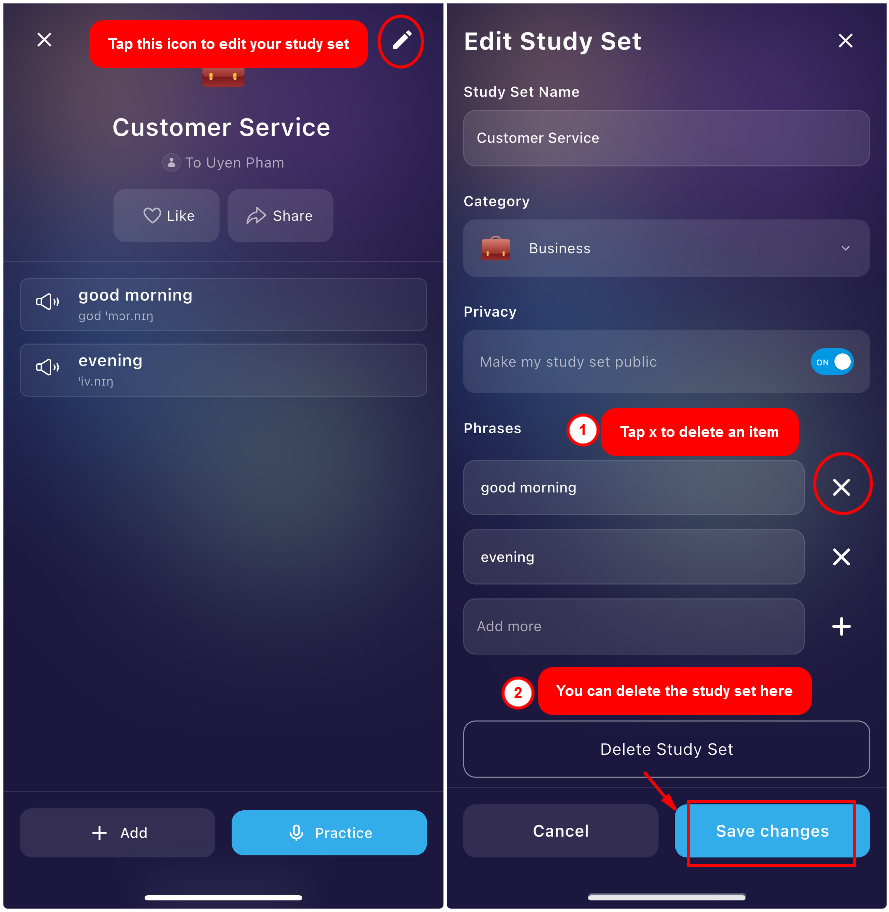
4. Delete a study set or an item in the study set:
Open the study set and tap on the pencil icon. You can tap the X icon on the right side to delete an item in the study set, or press Delete Study Set button to delete the whole set.
Note: Deleted items cannot be restored.
Was this article helpful?
That’s Great!
Thank you for your feedback
Sorry! We couldn't be helpful
Thank you for your feedback
Feedback sent
We appreciate your effort and will try to fix the article