For beginner learners (A1 and A2), Bilingual Mode allows you to learn English using your native language. With this feature, the ELSA AI avatar will automatically speak to you in your mother tongue, though you will still respond in English.
How to use it:
Supported Lessons: This feature is currently exclusive to Grammar and Vocabulary game types.
First-Time Setup: When you open a supported lesson for the first time, you will be prompted to choose your preferred language (English or your mother tongue).
Activation: Select your native language to have the AI avatar respond to you in your mother tongue.
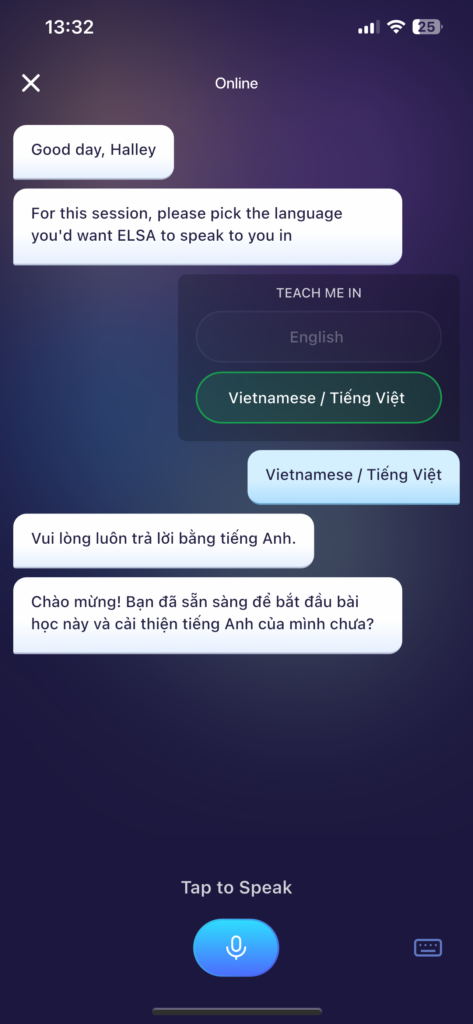
Supported languages:
- Chinese (Simplified)
- Chinese (Traditional)
- French
- German
- Hindi
- Indonesian
- Korean
- Portuguese (Brazil)
- Portuguese (Portugal)
- Spanish
- Turkish
- Vietnamese
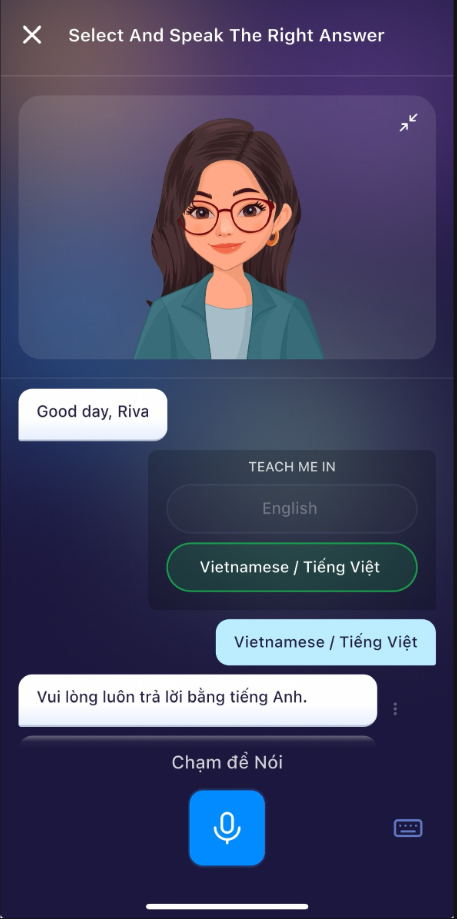
Disable Bilingual Mode:
You can turn off bilingual mode by changing the mother tongue language to English. This will revert the AI speaking-language to English.
Change your Mother Tongue to English in Settings.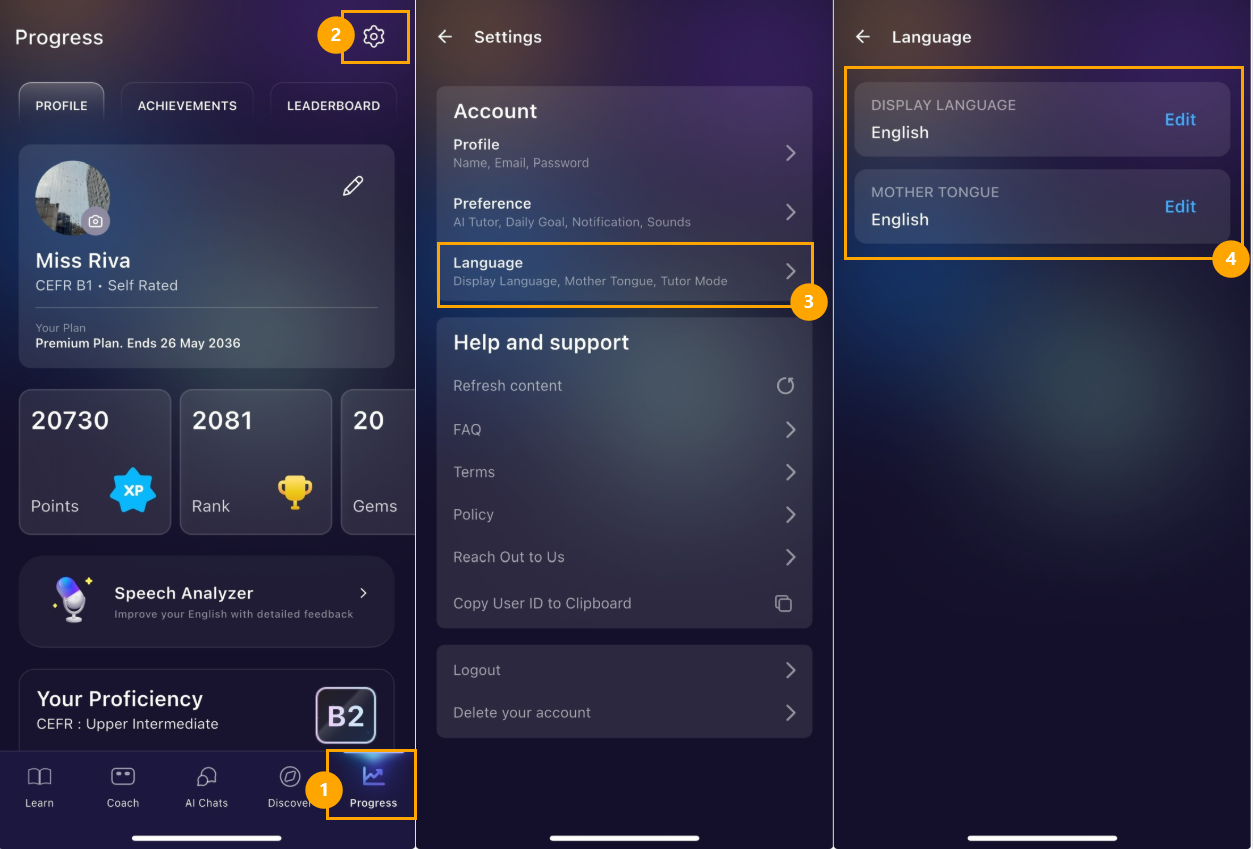
Was this article helpful?
That’s Great!
Thank you for your feedback
Sorry! We couldn't be helpful
Thank you for your feedback
Feedback sent
We appreciate your effort and will try to fix the article