In Progress tab, you will find Profile, this is where you can see the following information of your account:
- Profile card: Name, Level, Subscription Plan.
- Your Points, Ranks, Gems, Streaks
- ELSA Proficiency Score
- Activity: Learning time and Lessons completed
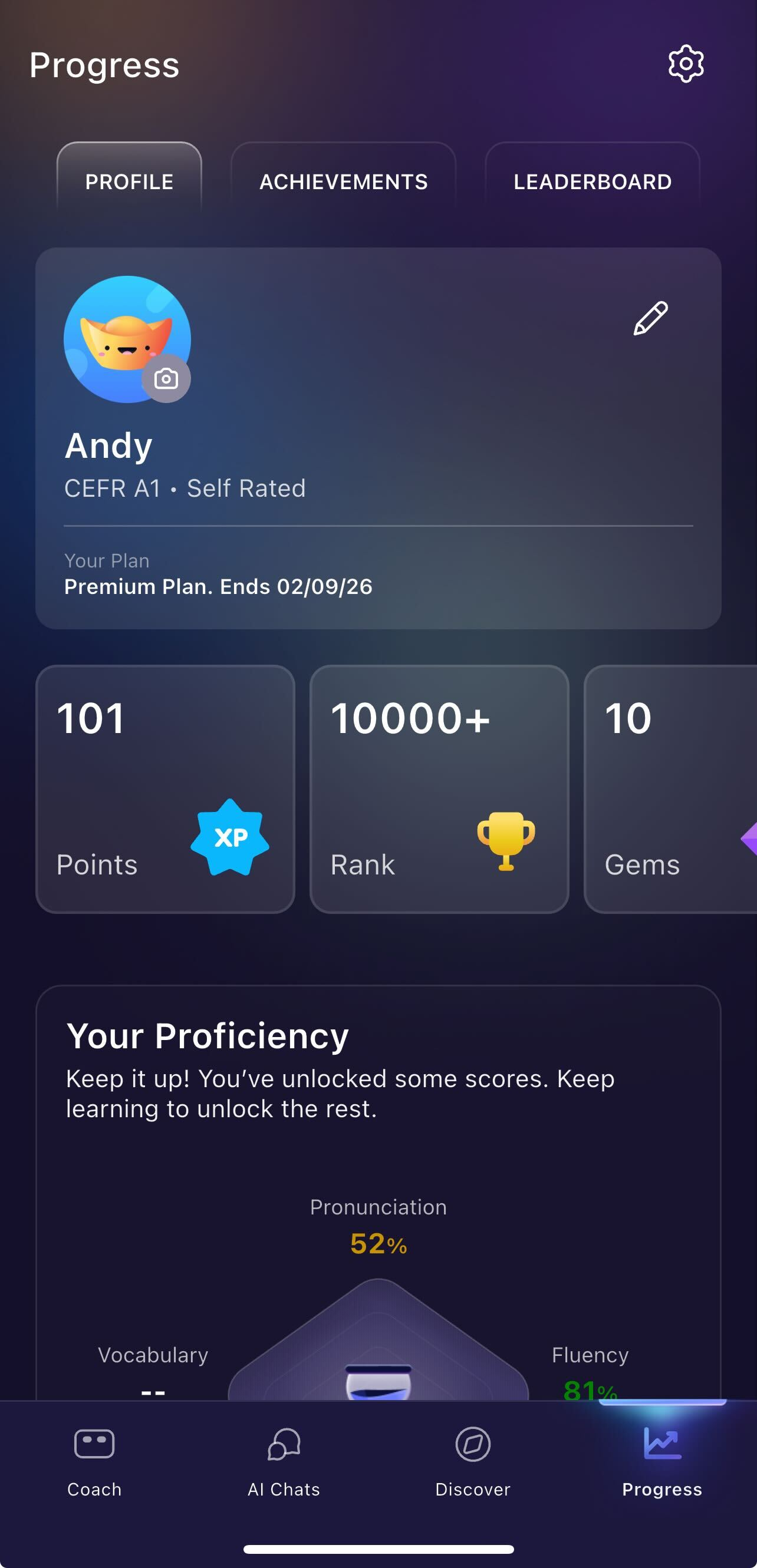
Profile card:
Your profile card is the central hub for managing your identity and tracking your subscription status within the app. Below is a guide to the features available on your profile screen and how to use them.
Profile Avatar & Photo: Your avatar is the visual representation of your account.
How to update: Tap the Camera Icon located at the bottom-right of your current avatar to upload a new photo.
Display Name: This is the name shown to other users in leaderboard.
How to update: If you need to change your name, use the Edit (Pencil) Icon in the top-right corner.
- Language Proficiency (CEFR): This section displays your current skill level (e.g., A2).
Self-Rated Status: If your profile says "Self Rated," it means this level was manually selected during your setup. You can update this in Learning Path (Modifying Learning Path)
Plan Status: Located at the bottom of your profile card under "Your Plan." This is where you see the available subscription plan and the expiration date. The expiration date format is Month/Date/Year.
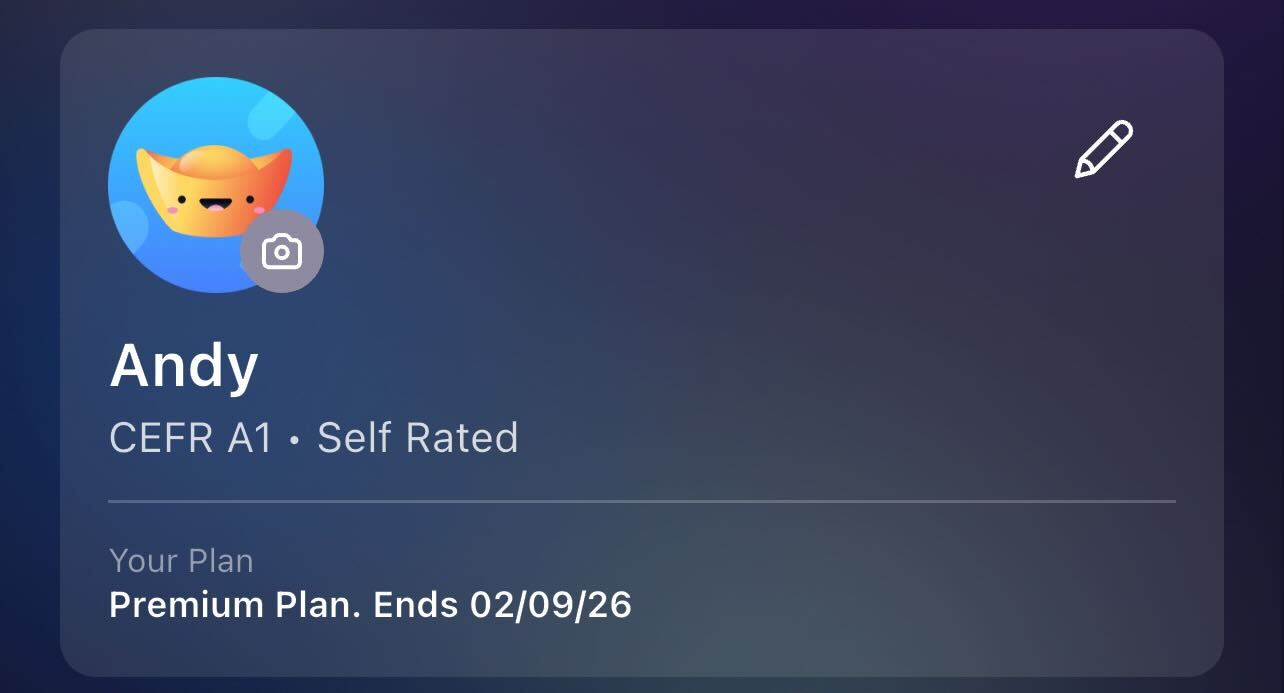
Your Points, Ranks, Gems, Streaks:
- Points: can be earned from completing lessons in ELSA, collect points to compete against other learners on the leaderboard.
- Rank: is your current ranking on the leaderboard. Start some lessons to earn points and move your rank up.
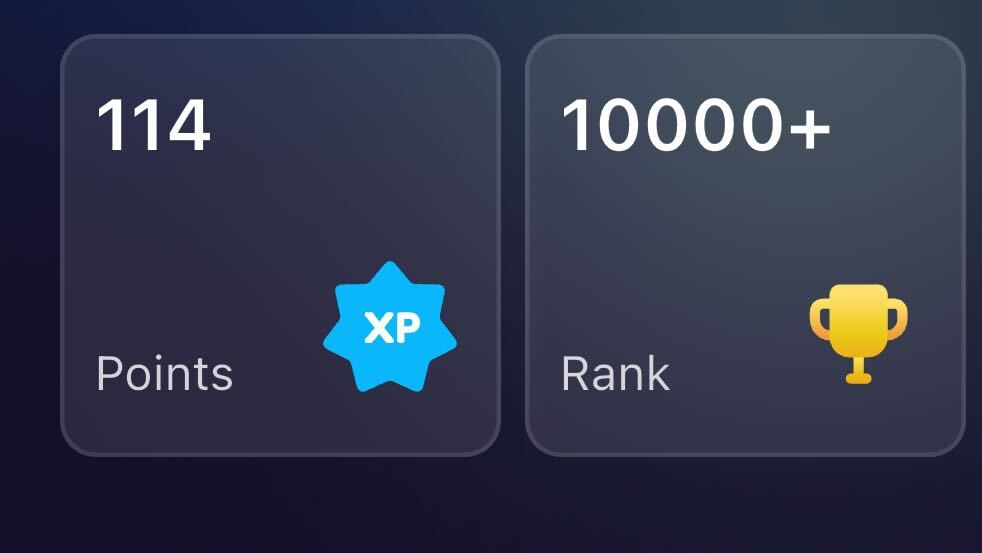
- Streaks: Complete at least one lesson every day to keep your streak going.
- Gems: You will get 10 gems as the initial reward for registering your account. This is the maximum amount of gems to receive currently. We are still developing this feature, stay tuned!
:
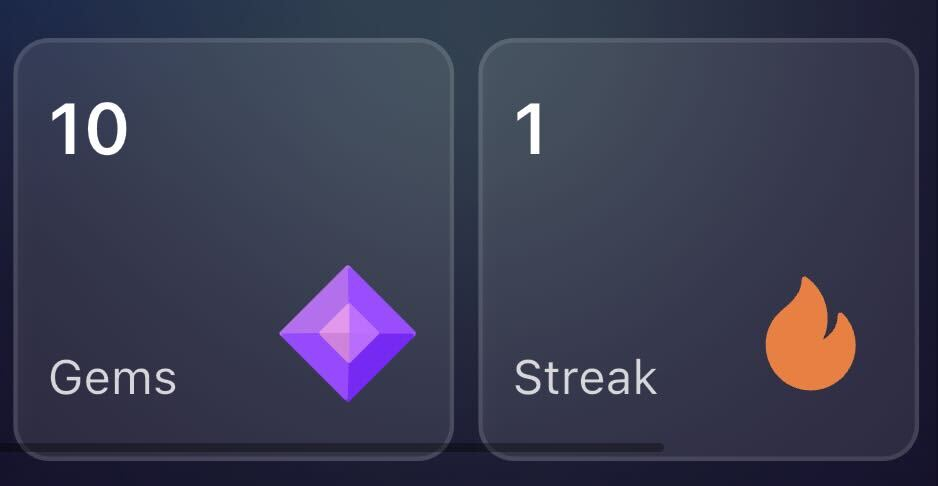
ELSA Proficiency Score:
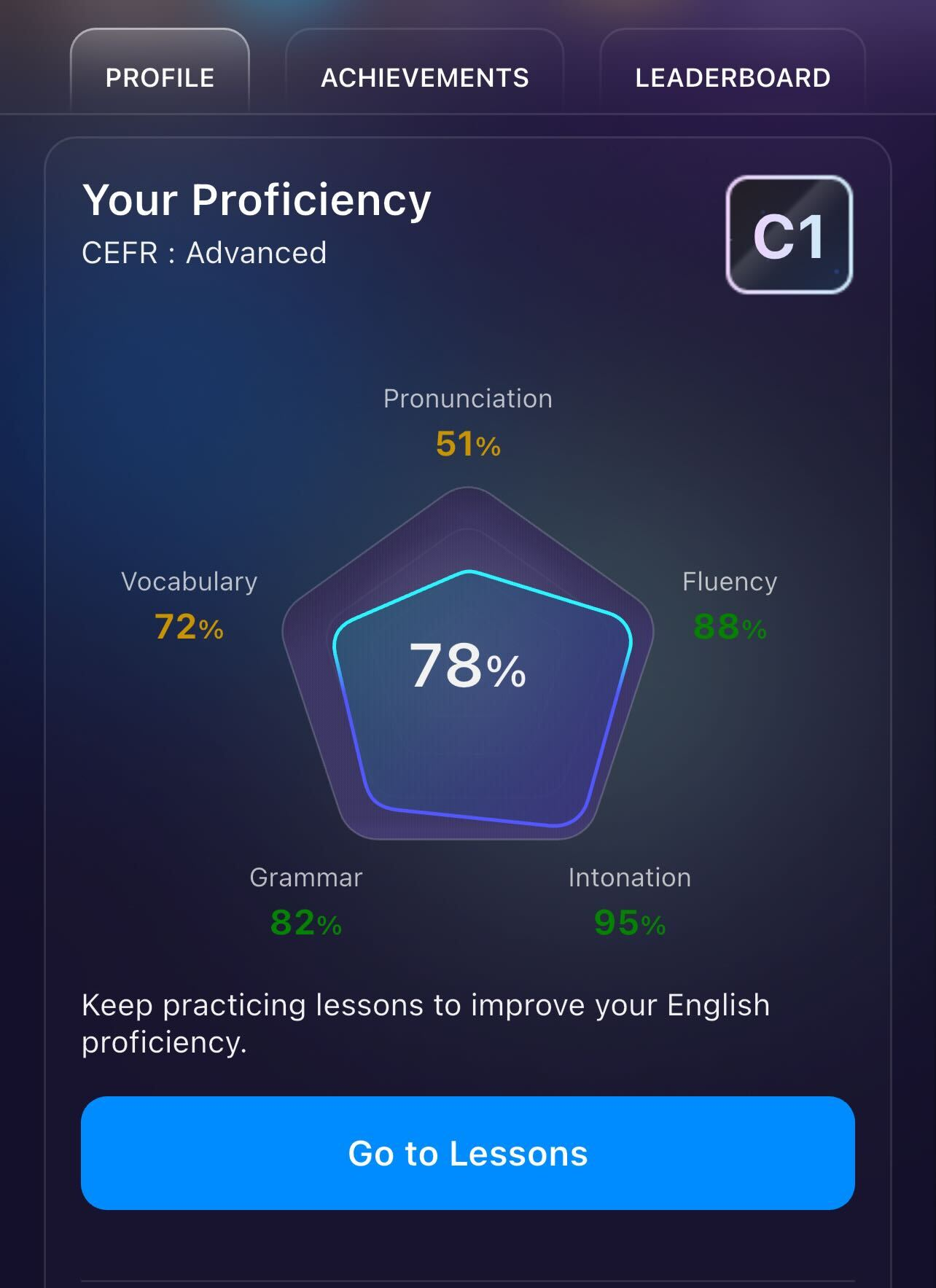
The Proficiency tab provides a detailed breakdown of your current language skills, helping you identify your strengths and areas for improvement.
CEFR Level: Displays your Common European Framework of Reference for Languages (CEFR) grade. This provides an international standard for describing your language ability.
Overall Score: The large percentage in the center of the pentagon chart (e.g., 78%) represents your total average proficiency across all tracked skills.
Skill Breakdown (Pentagon Chart):
The pentagon-shaped chart visualizes five key components of your language fluency:
Pronunciation: Measures the accuracy of your spoken sounds.
Fluency: Tracks the smoothness and rhythm of your speech.
Intonation: Evaluates the rise and fall of your voice to convey meaning.
Grammar: Measures your mastery of sentence structure and rules.
Vocabulary: Reflects the range of words you can use effectively.
Activity
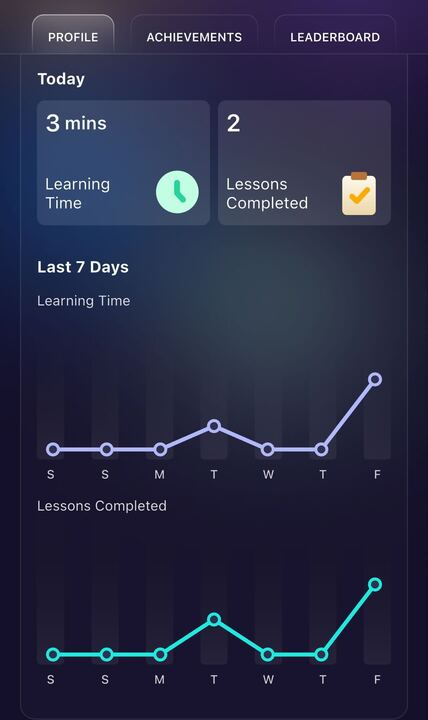
This section provides a snapshot of your effort for the current 24-hour period.
Learning Time: Shows the total number of minutes spent actively practicing in the app today (e.g., 3 mins).
Lessons Completed: Tracks the number of individual modules or sessions you have finished today (e.g., 2).
Weekly Progress (Last 7 Days)
These line graphs help you visualize your consistency over the past week, with each point representing a day (Sunday through Saturday).
Learning Time Graph: Tracks the fluctuation in your daily practice duration in minutes in the last 7 days.
Lessons Completed Graph: Visualizes the number of lessons completed daily in the last 7 days.
Was this article helpful?
That’s Great!
Thank you for your feedback
Sorry! We couldn't be helpful
Thank you for your feedback
Feedback sent
We appreciate your effort and will try to fix the article